
How to keep a cancelled YakDesk subscription
Cancelled by mistake, or changed your mind? Until the end of the billing period, you can undo the cancellation in one step and carry on as if nothing happened.
Before you start
- An Owner or Admin role in YakDesk
- A subscription that is cancelled but still in its paid period
Plays silently with captions; the narrated version is on its way.
Transcript
Changed your mind? Undo a cancellation before your YakDesk subscription ends.
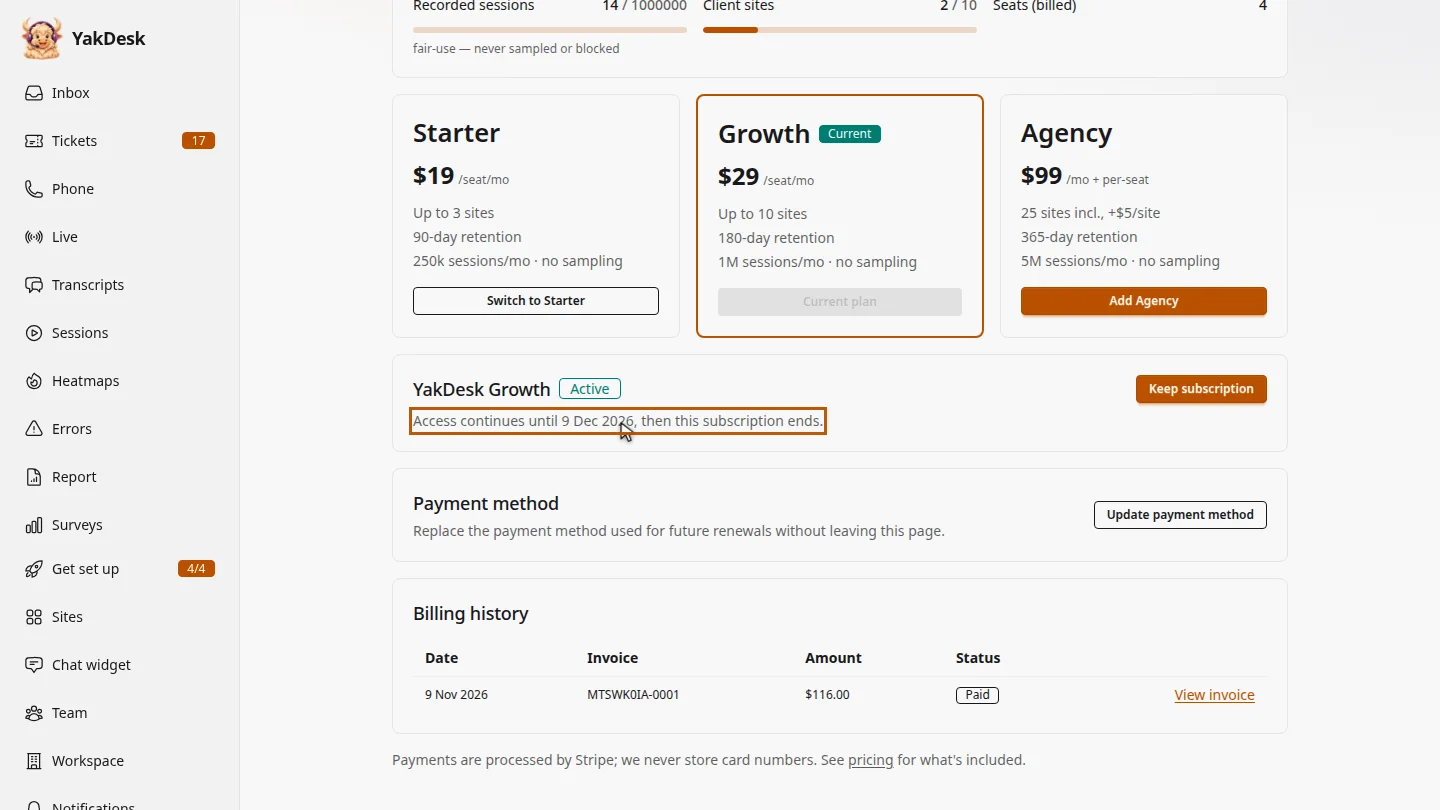
Open Billing from the sidebar. A cancelled subscription shows the date your access ends.
Select Keep subscription. The cancellation is removed, and the next renewal date comes back.
Steps
Find the subscription ▶ 0:06
In the sidebar, select Billing. The cancelled subscription shows Access continues until a date.
Keep it ▶ 0:13
Select Keep subscription. Your subscription will continue. appears, with the Next renewal date.
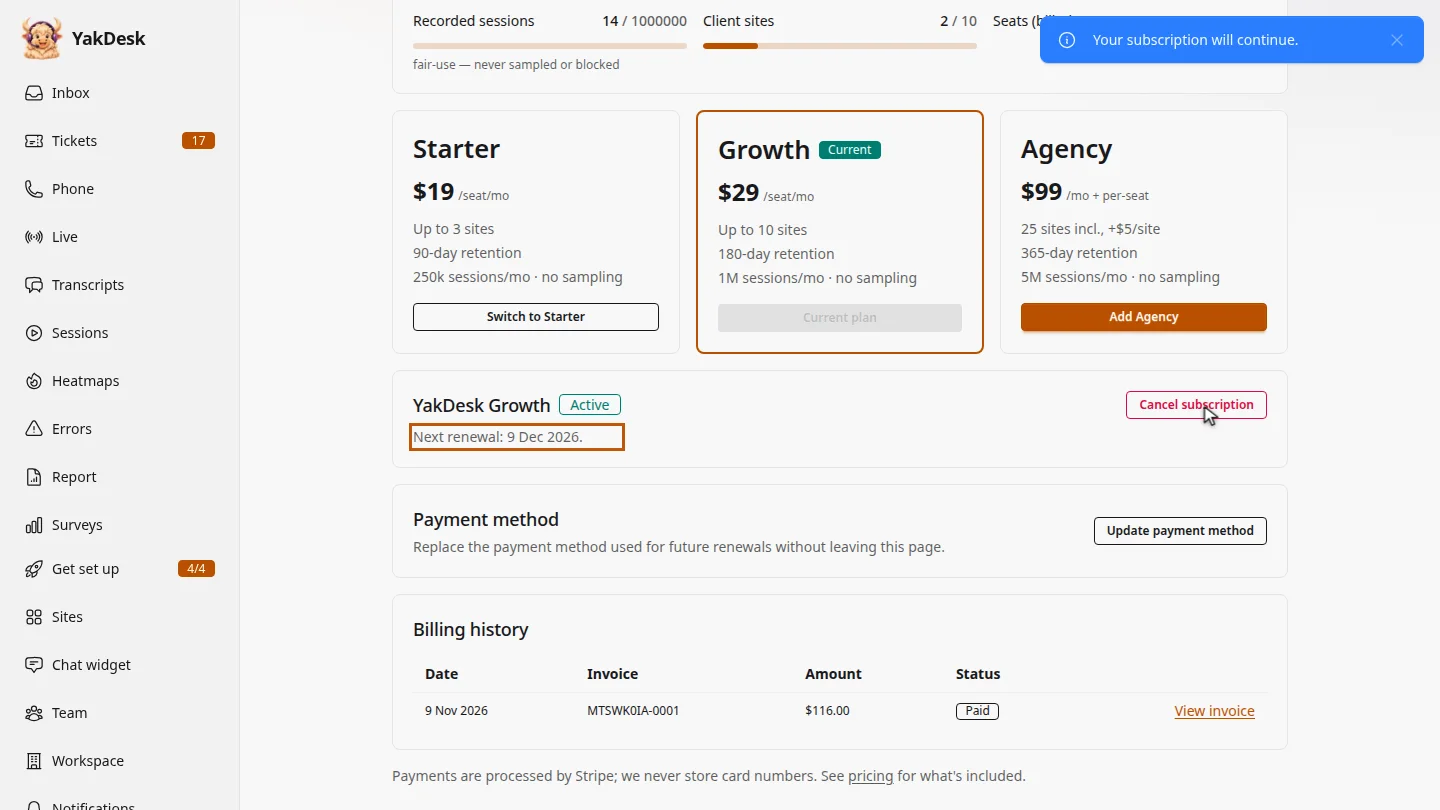
ResultThe subscription shows its next renewal date again.
Next steps
Updated 2026-11-09
undo cancel resume subscription reactivate stay subscribed