
How to review console errors in YakDesk
When something breaks in your app, the first customer to report it is rarely the only one affected. Errors groups the JavaScript errors recorded in visitors' browsers, so you can see how often each happens and how many people hit it.
Before you start
- The chat widget or session recorder installed on your site
Plays silently with captions; the narrated version is on its way.
Transcript
See which errors your customers are hitting, and how many people each one affects.
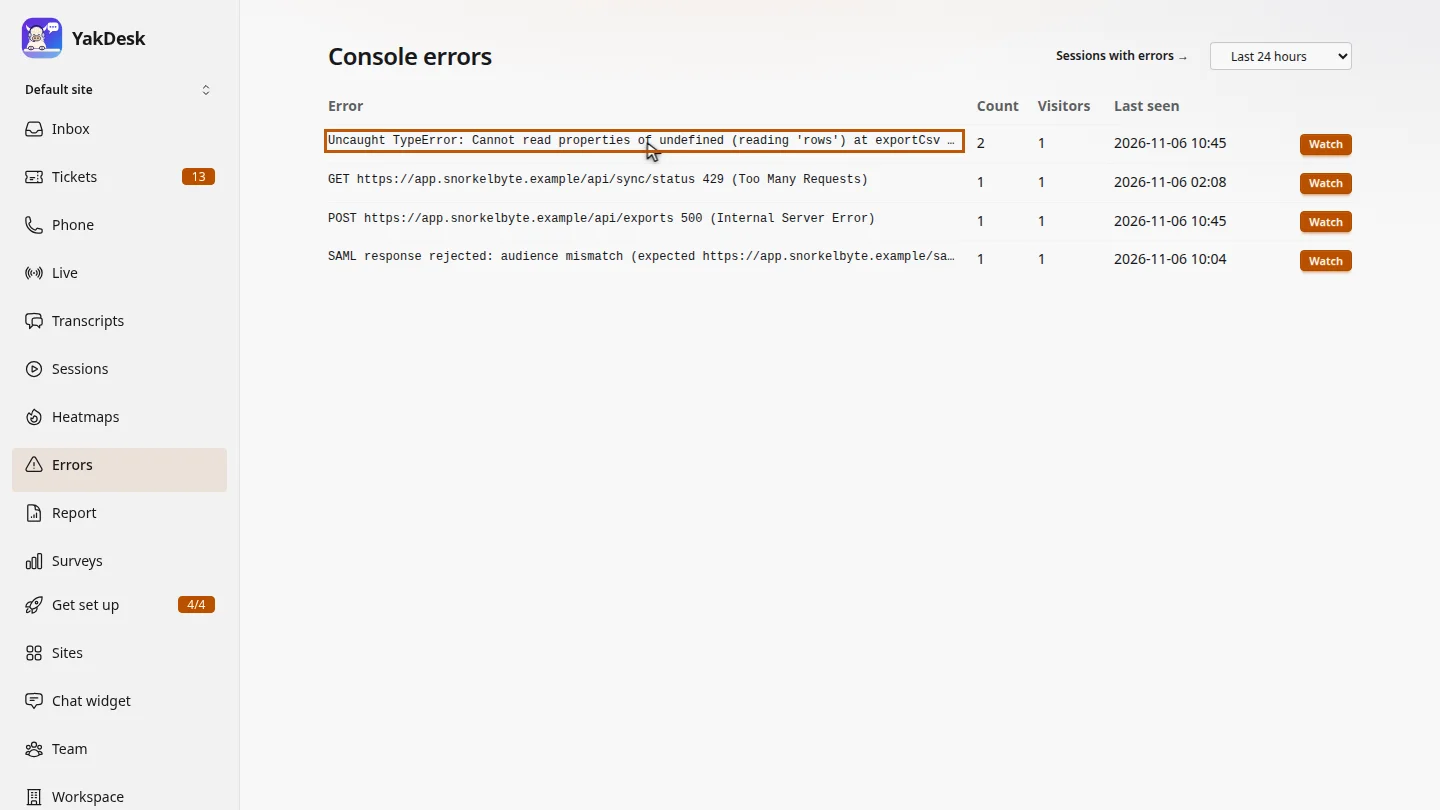
Open Errors. Each row is one error message, with how many times it happened, how many visitors saw it, and when it was last seen.
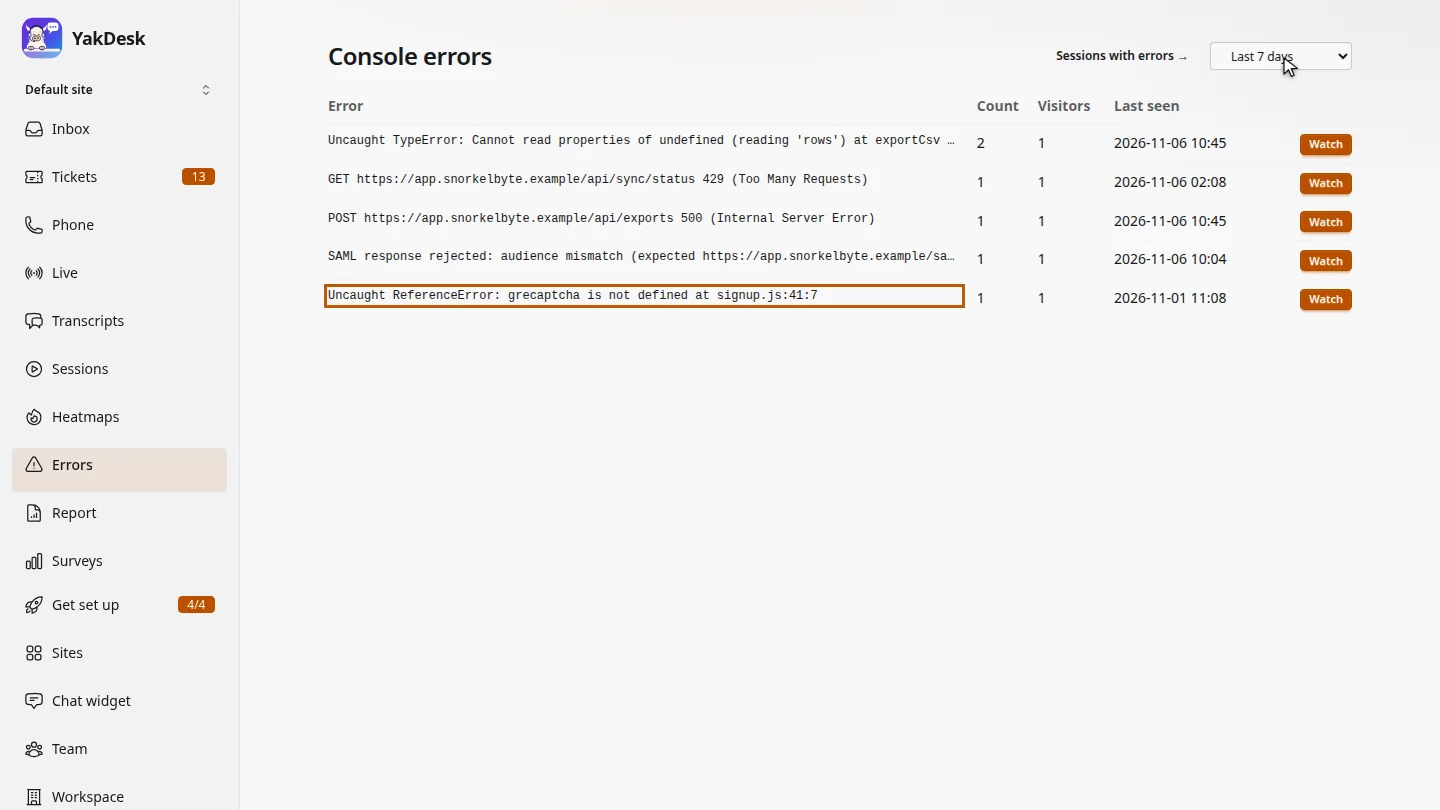
Widen the time range to the last seven days. Older errors appear too, like the sign-up error from earlier in the week.
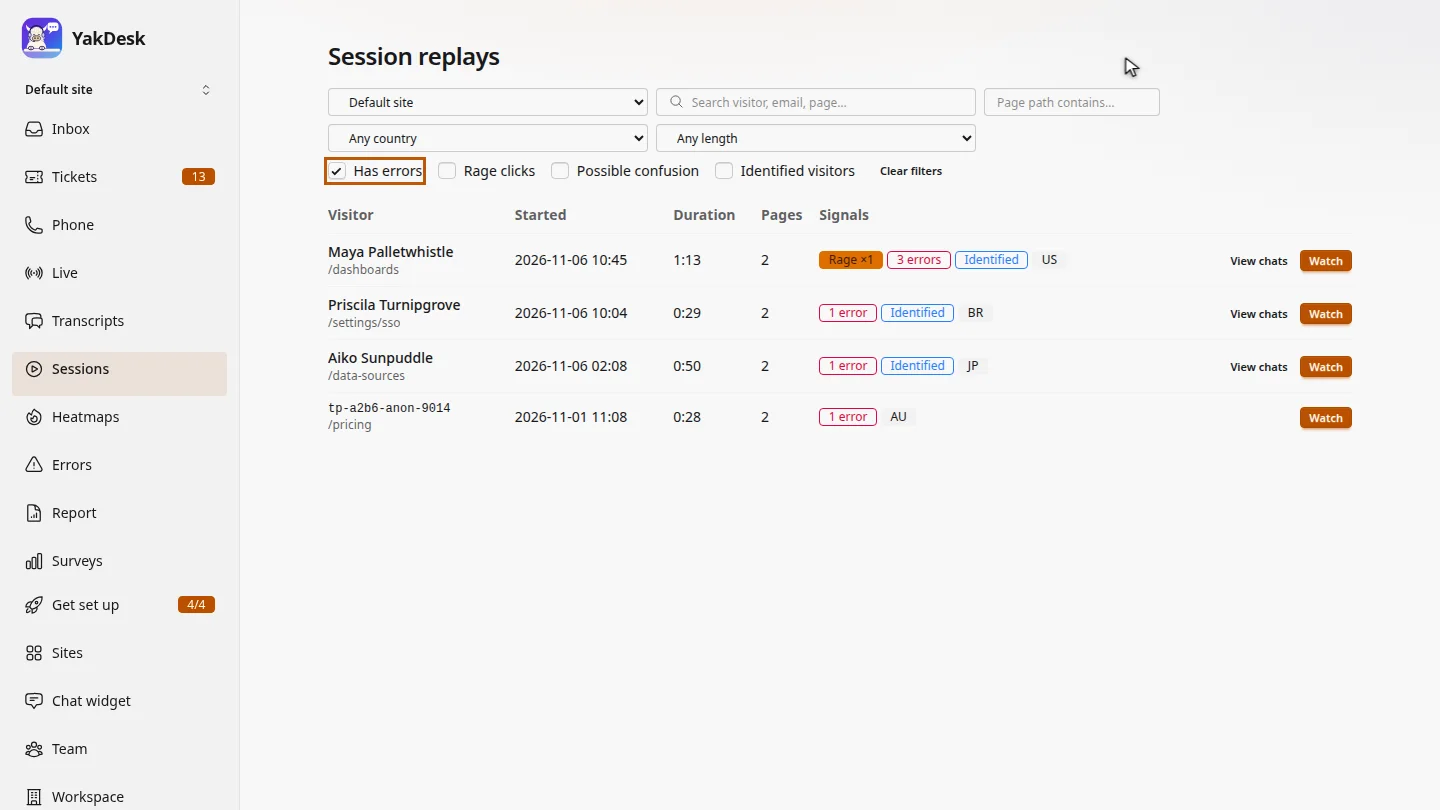
Select Sessions with errors to list every visit that recorded an error. Watch one to see what the visitor was doing when it happened.
Steps
Read the error list ▶ 0:07
In the sidebar, select Errors. Compare Count, Visitors and Last seen for each error.
Change the time range ▶ 0:16
Change the time range from Last 24 hours to Last 7 days.
Open the affected sessions ▶ 0:25
Select Sessions with errors. Session replays opens with Has errors selected.
Next steps
Updated 2026-10-26
javascript errors console errors front-end errors error tracking bug reports