
How to undo a ticket reply in YakDesk
Everyone sends a reply too soon now and then: the wrong ticket, a missing detail, a typo in a name. YakDesk holds each reply for a few seconds before emailing it, so you can take it back.
Before you start
- A Growth or Agency plan (tickets are included)
- The undo window is on in Ticket settings (30 seconds by default)
Plays silently with captions; the narrated version is on its way.
Transcript
Take back a ticket reply in the seconds before it's emailed.
Open the ticket, and type your reply to Sofia. Then select Send reply. YakDesk doesn't email it straight away. It holds it for a few seconds first.
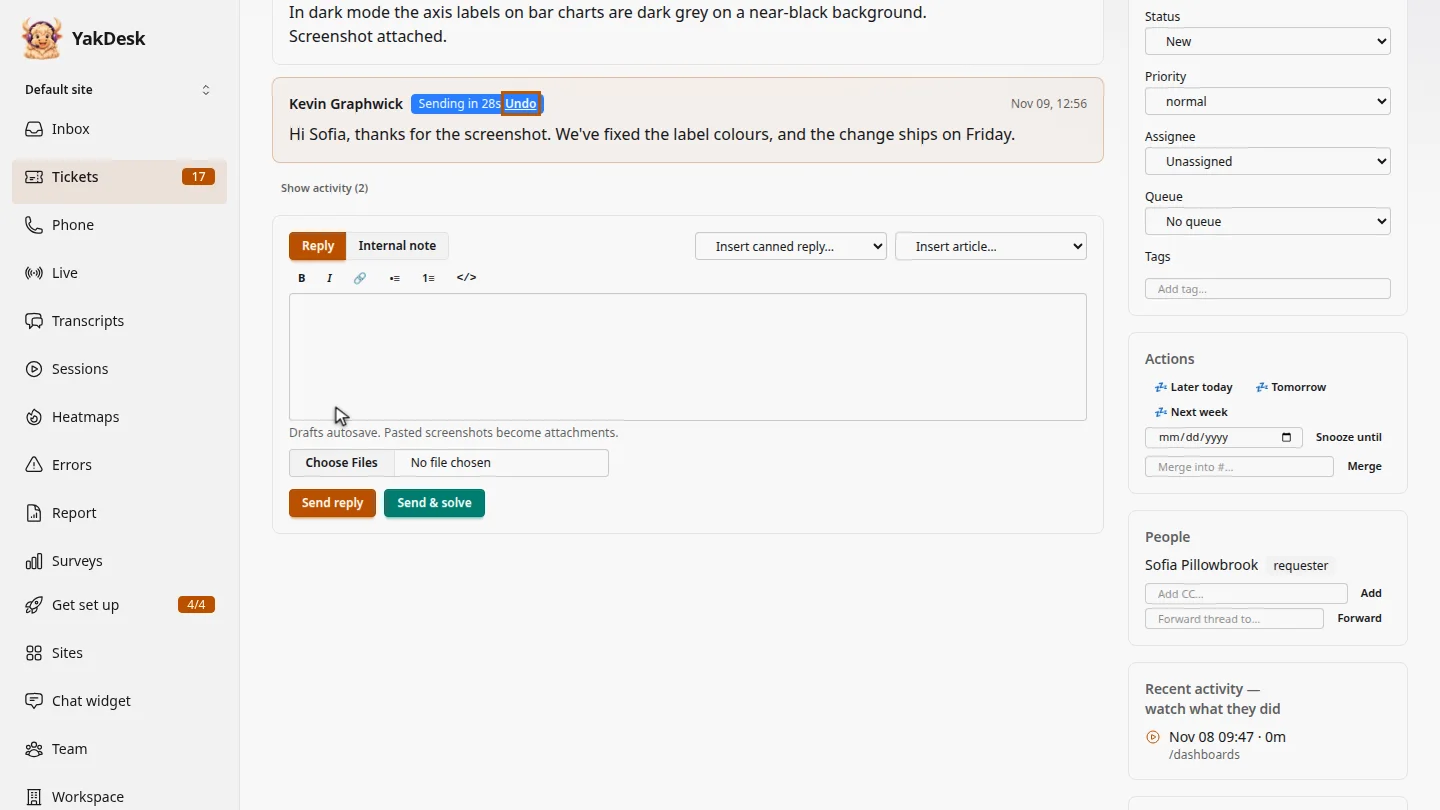
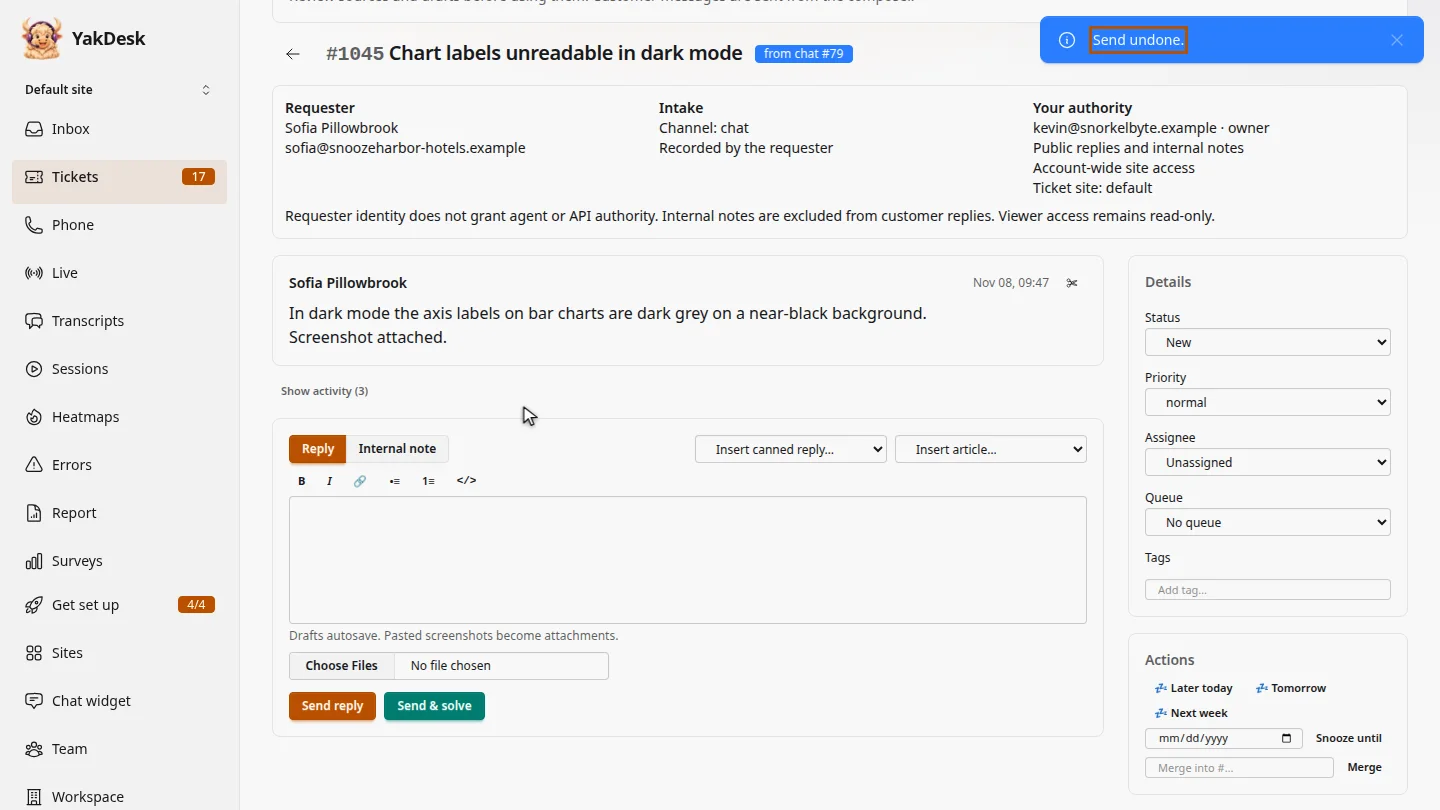
For a few seconds, the reply shows Sending in, with an Undo link. Friday isn't confirmed yet, so select Undo. YakDesk confirms Send undone, and the reply is removed before it's emailed.
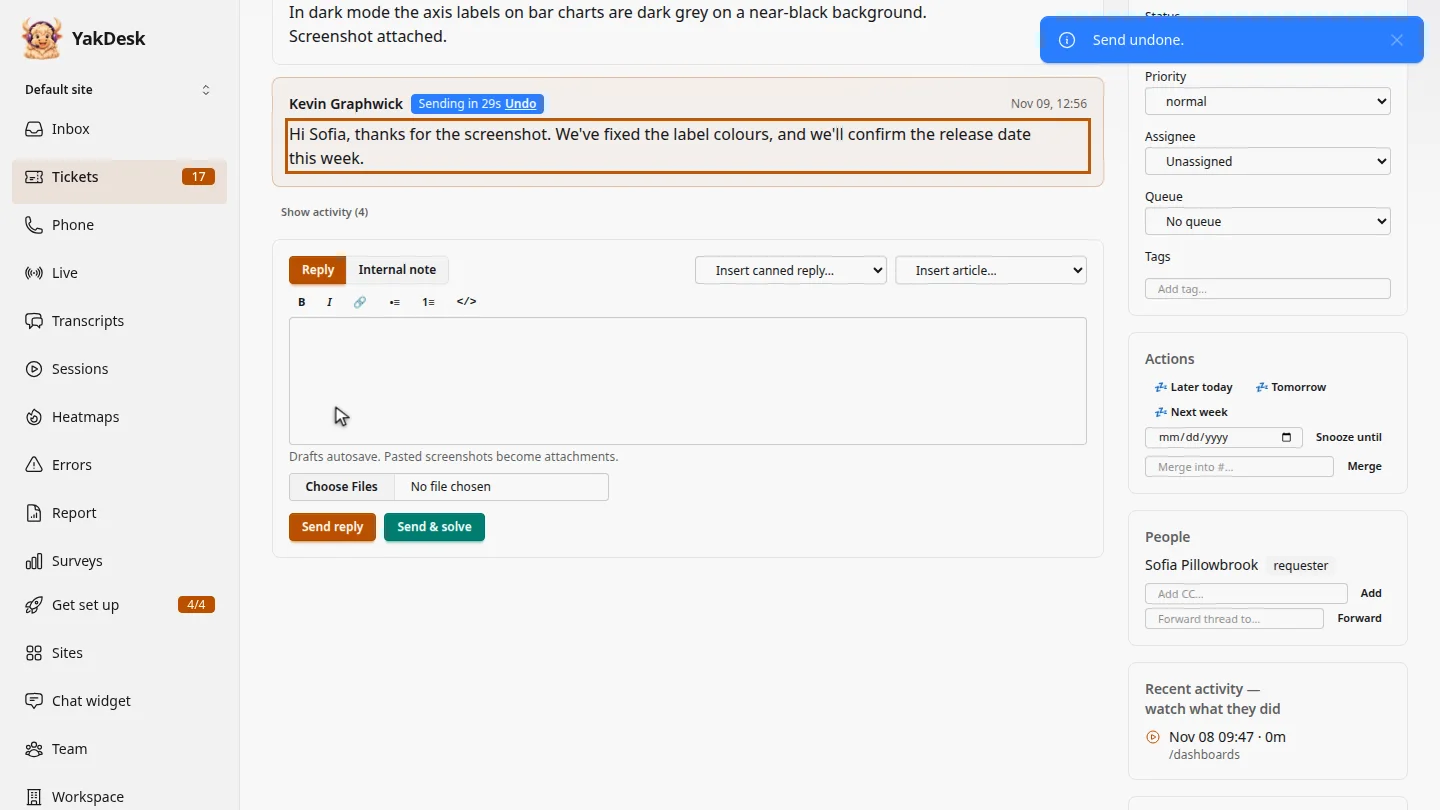
Write the corrected reply and send it again. This time, let the countdown finish, and it's emailed to Sofia.
Steps
Send a reply ▶ 0:05
In Tickets, open the ticket, type your reply, and select Send reply.
Undo it ▶ 0:16
While the reply shows Sending in, select Undo. YakDesk shows Send undone. and removes the reply.
Send the corrected reply ▶ 0:30
Type the corrected reply and select Send reply. When the countdown ends, it's emailed.
Next steps
Updated 2026-11-09
undo send unsend recall reply cancel reply