
How to export your support data from YakDesk
Keep your own copy of your support history, for a backup, an audit, or analysis in another tool. The export is a zip of tickets, contacts, help center articles and companies in JSON.
Before you start
- A Growth or Agency plan (tickets are included)
- An Owner or Admin role in YakDesk
Plays silently with captions; the narrated version is on its way.
Transcript
Download a full copy of your YakDesk support data, any time you need one.
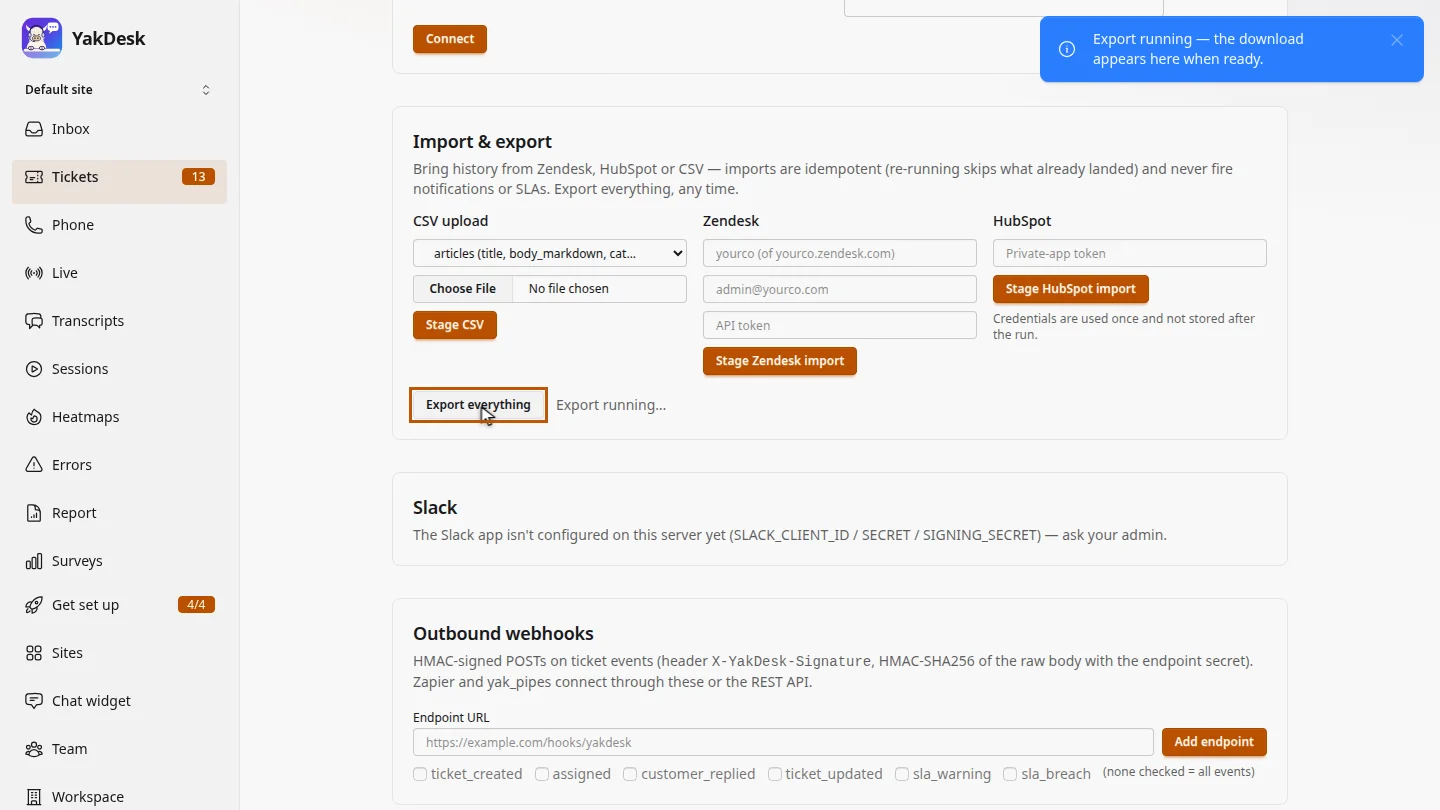
In Tickets, open Settings. Under Import and export, select Export everything.
A few seconds later, Download export appears with the time it finished. Select it to save the zip file.
Steps
Start the export ▶ 0:06
In Tickets, select Settings. Under Import & export, select Export everything.
Download it ▶ 0:12
When Download export appears, select it to save the zip file.
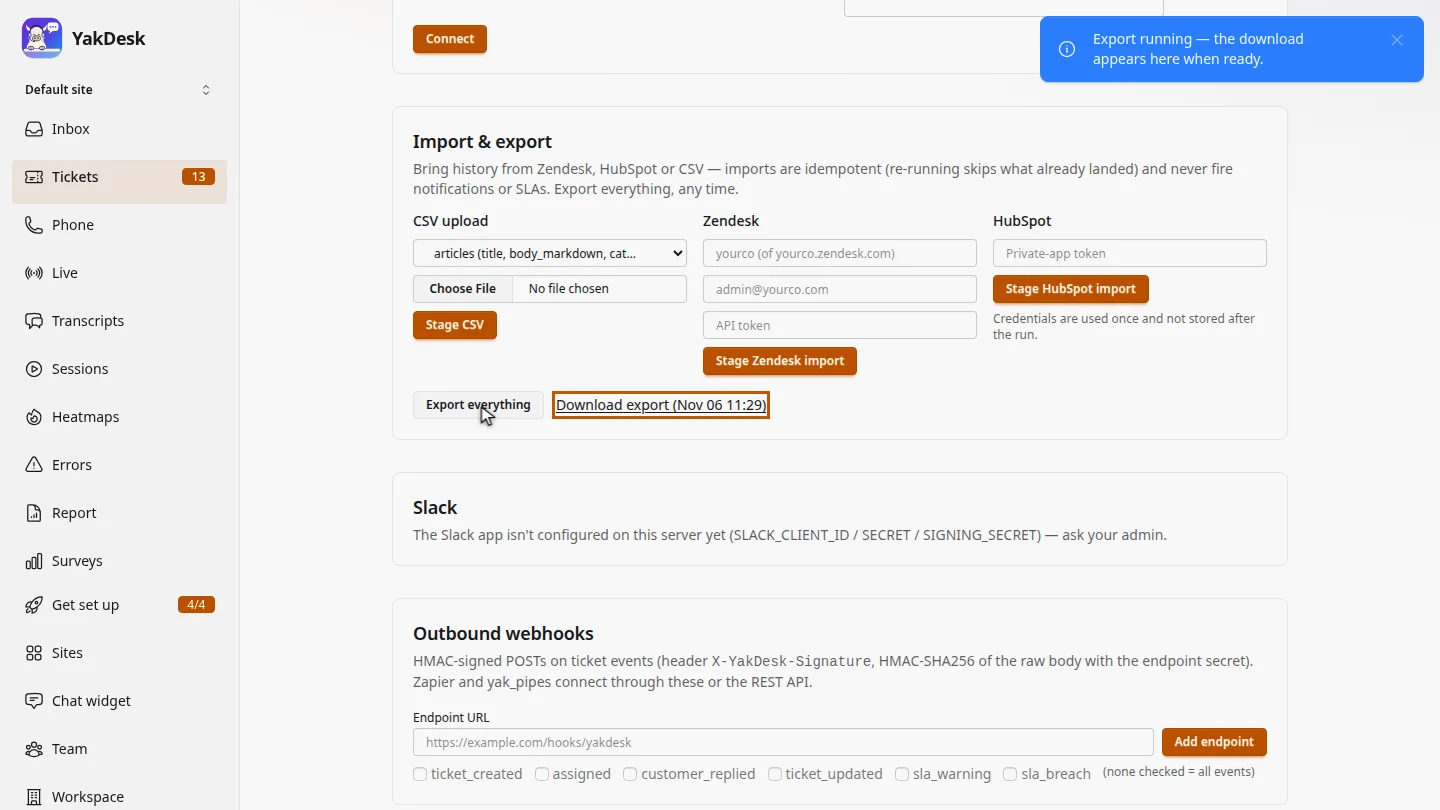
ResultA Download export link appears with the time it finished.
Next steps
Updated 2026-10-26
export tickets backup data export download support history gdpr export