
How to install the session recorder in YakDesk
Session replays, heatmaps, error tracking and the Live page all come from the session recorder. Add its snippet to your site once, and every visit is recorded for your team to replay.
Before you start
- Access to your site's HTML or page template
- jQuery 3.3.1 on the page (the snippet's guide shows how to add it)
Plays silently with captions; the narrated version is on its way.
Transcript
Start recording visits to your site, so you can replay what customers saw.
Open Sites. On your site, expand Session recorder snippet and copy it. It already contains your site's project token.
Paste it just before the closing body tag on every page you want to record. The recorder guide explains each option.
Because the snippet requires consent, nothing is recorded until your cookie banner grants it. Form fields are masked by default.
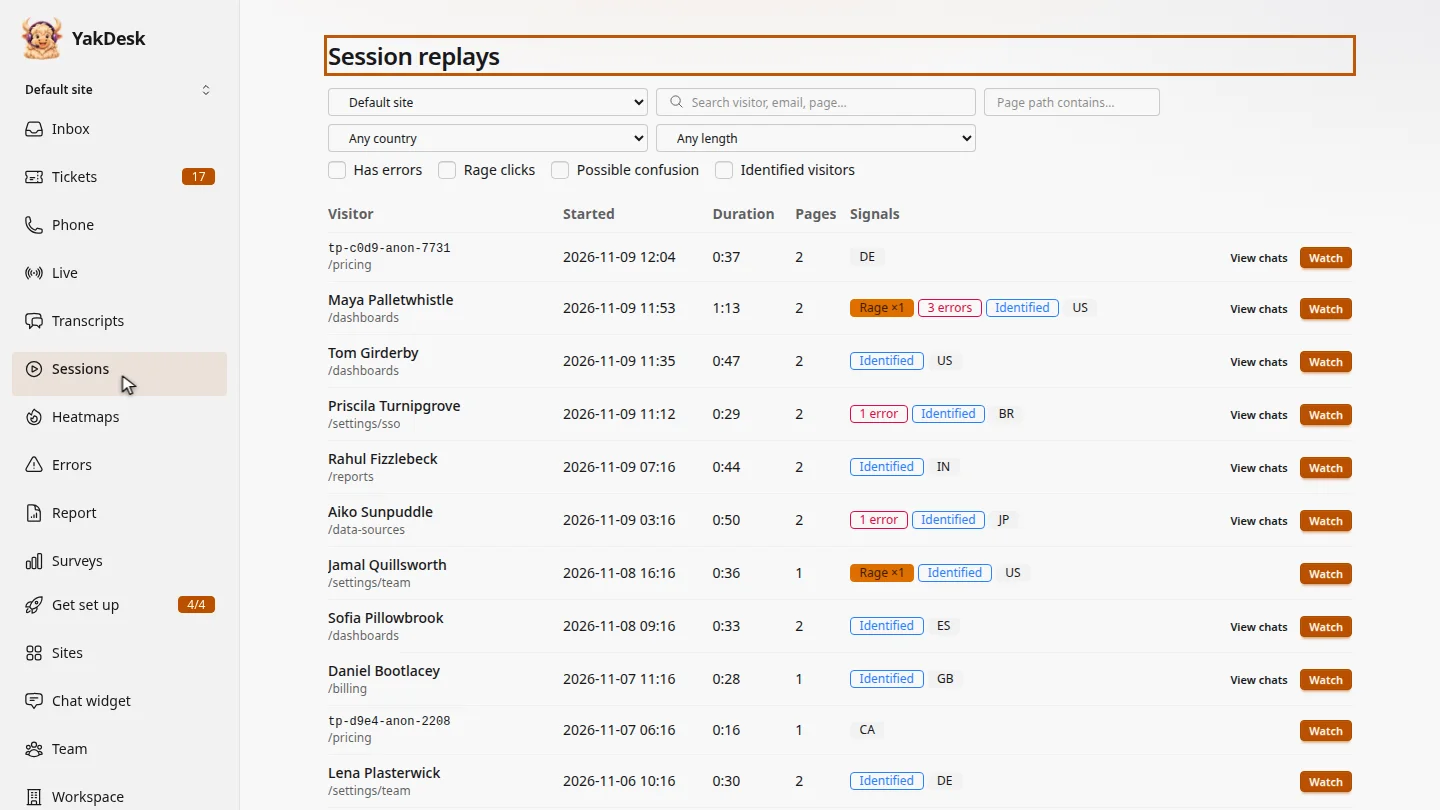
Browse your site, then open Sessions. New visits show up within a minute or two.
Steps
Copy the snippet ▶ 0:06
In the sidebar, select Sites. On your site, open Session recorder snippet and select Copy recorder snippet.
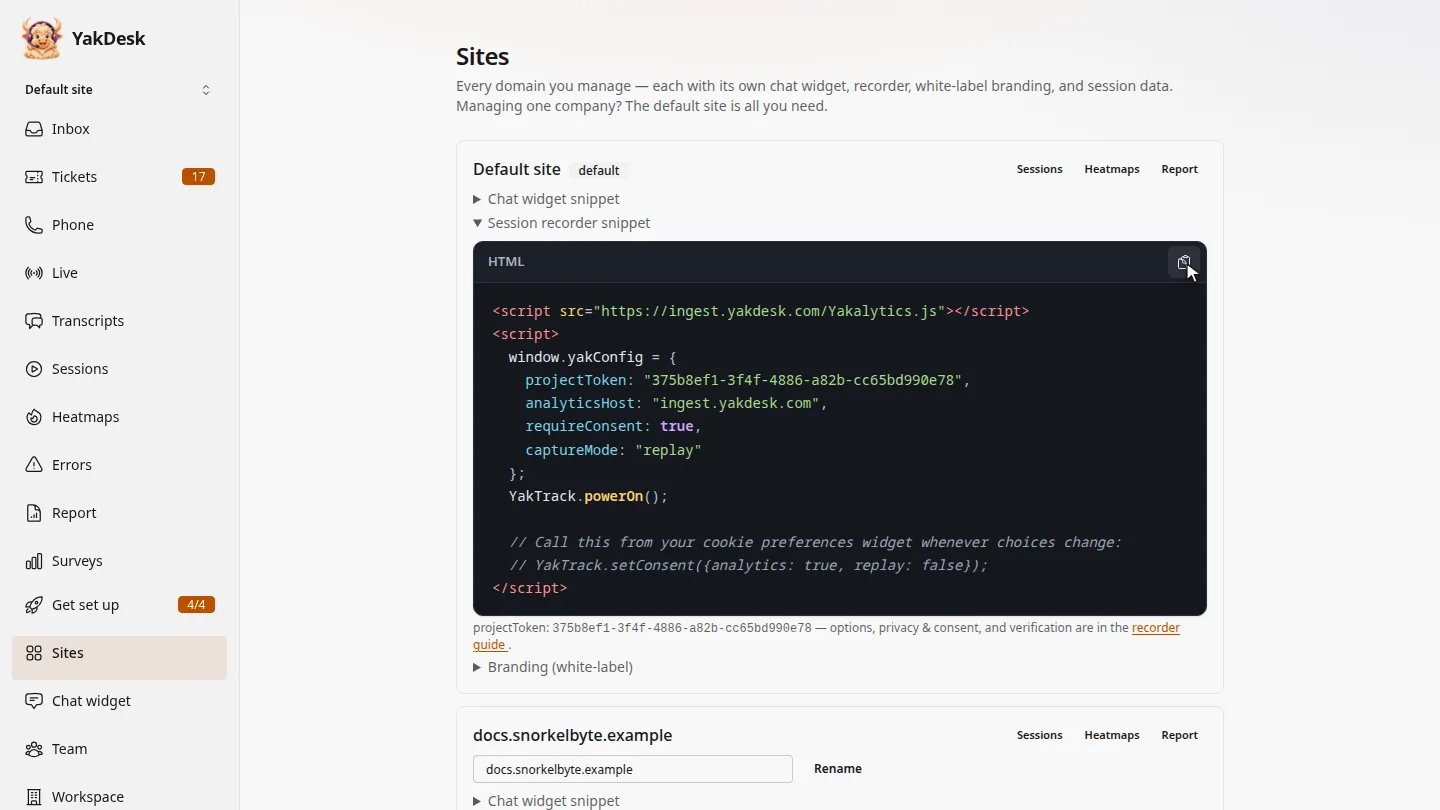
Paste it into your site ▶ 0:15
Paste the snippet just before
</body>on every page you want to record. Select recorder guide for every option.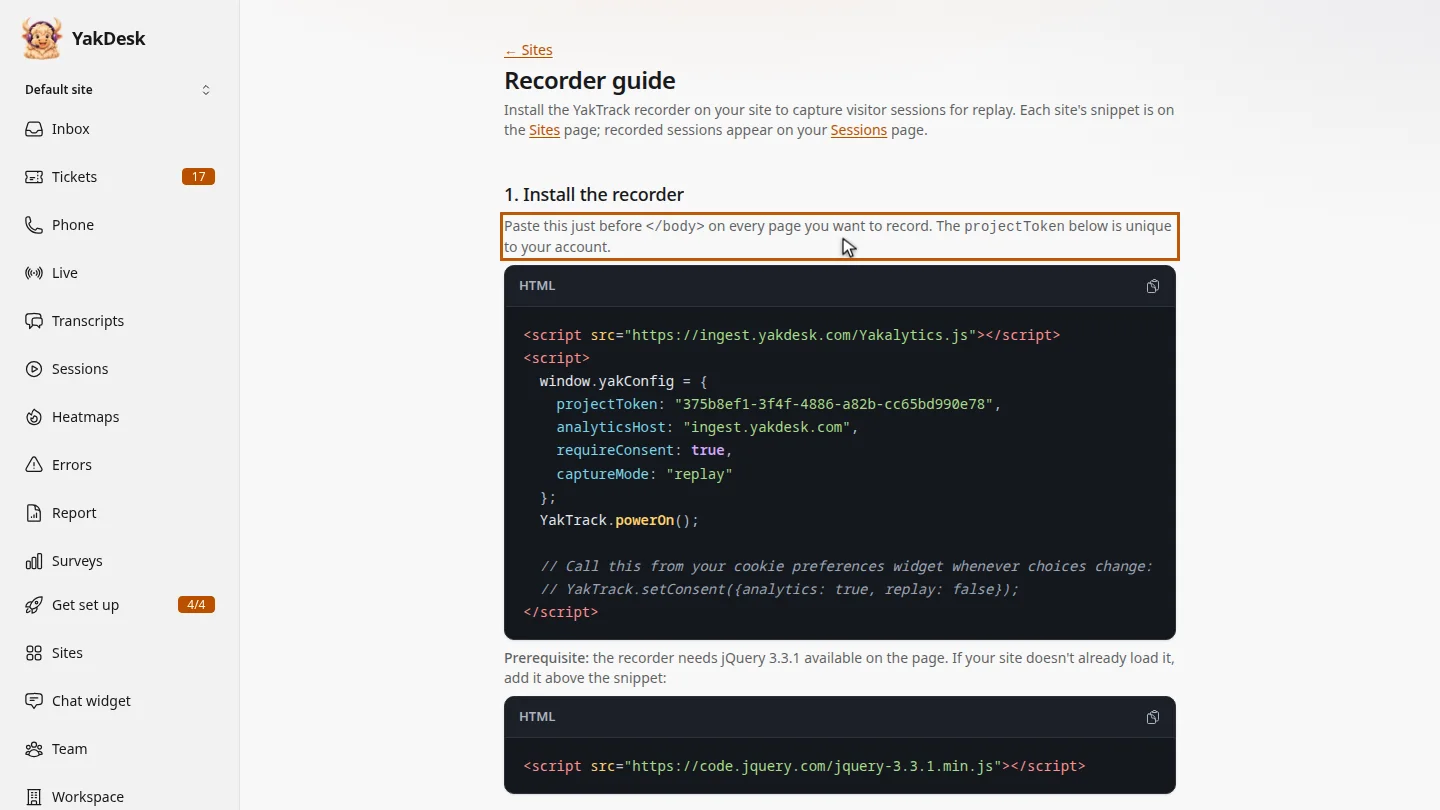
Connect your cookie banner ▶ 0:24
Under 3. Privacy & consent management, call
YakTrack.grantConsent()from your cookie banner when a visitor accepts, andYakTrack.revokeConsent()when they decline. WithrequireConsent: true, nothing is recorded until then. Form inputs are masked by default.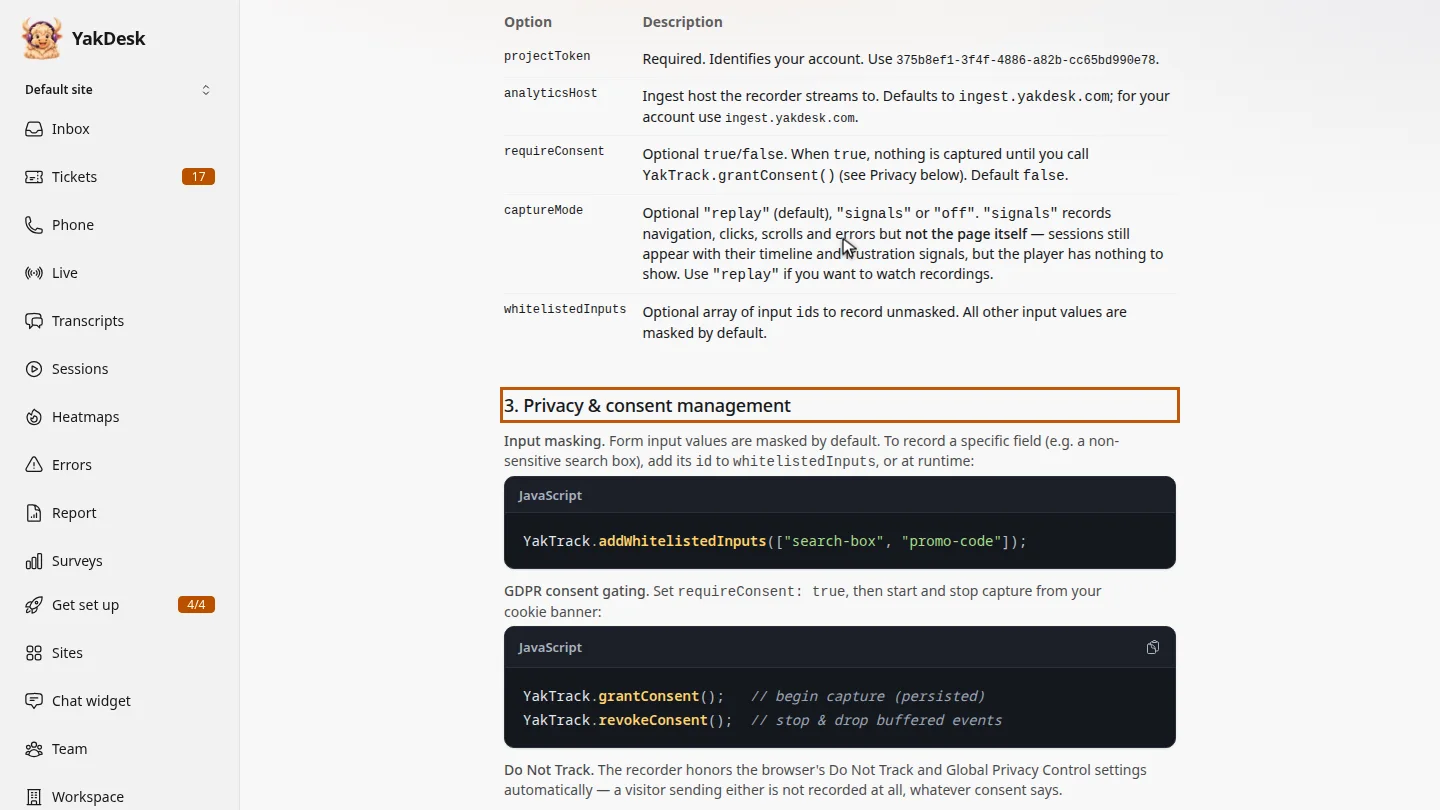
Check it's working ▶ 0:33
Visit your site, then in the sidebar select Sessions. New visits appear within a minute or two.
Next steps
Updated 2026-11-09
tracking script session recording snippet replay setup install recorder yaktrack