
How to revoke a ticket API key in YakDesk
When a tool is retired, or a key may have leaked, switch the key off. Revoking takes effect immediately and leaves your other keys working.
Before you start
- A Growth or Agency plan (tickets are included)
- An Owner or Admin role in YakDesk
Plays silently with captions; the narrated version is on its way.
Transcript
Switch off an API key you no longer need, without affecting your other keys.
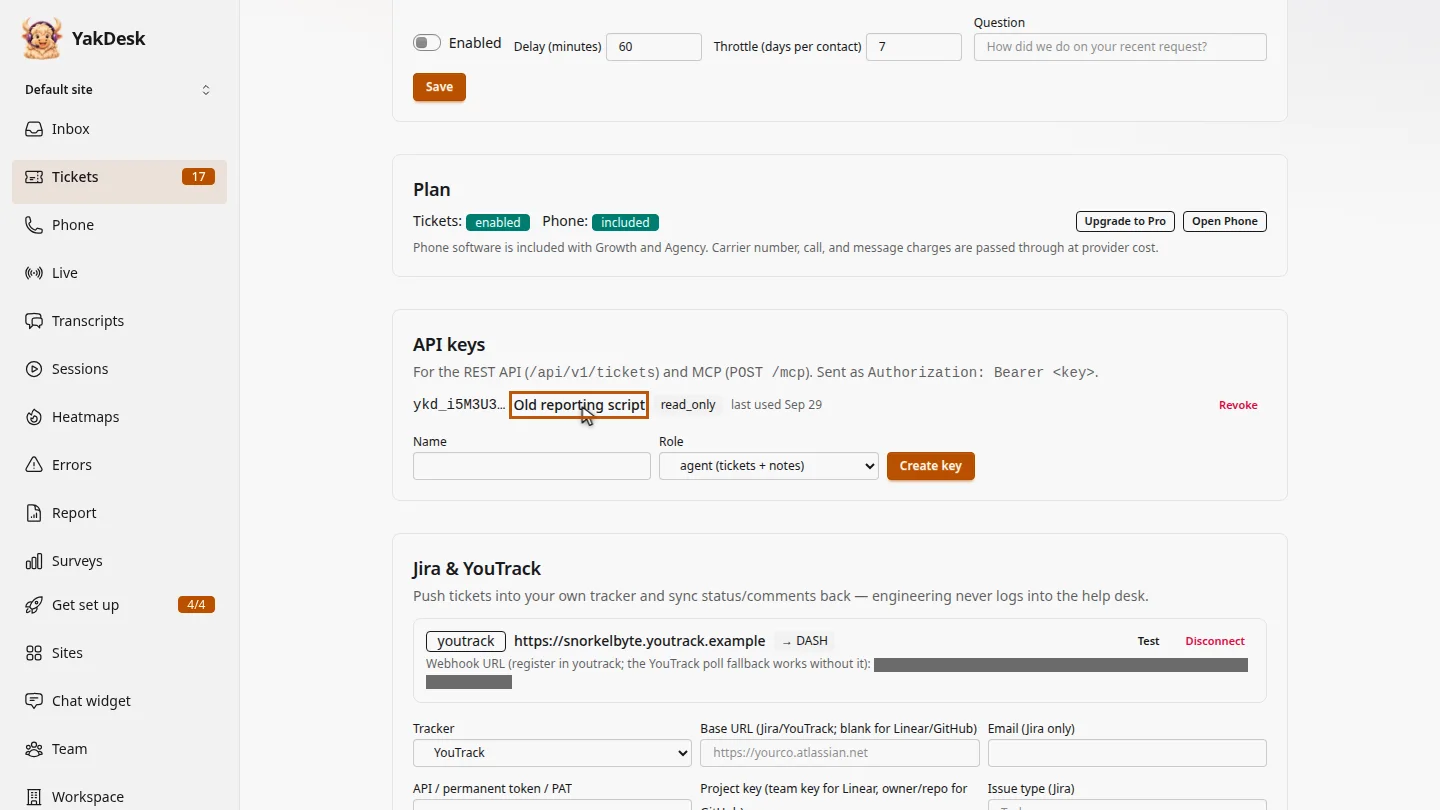
In Tickets, open Settings and scroll to API keys. Find the key by its name, and check when it was last used.
Select Revoke, and confirm. The key disappears from the list, and any request that uses it now fails.
Steps
Find the key ▶ 0:06
In Tickets, select Settings. Under API keys, find the key by its name and last used date.
Revoke it ▶ 0:14
Select Revoke next to the key, then confirm. The key disappears from the list.
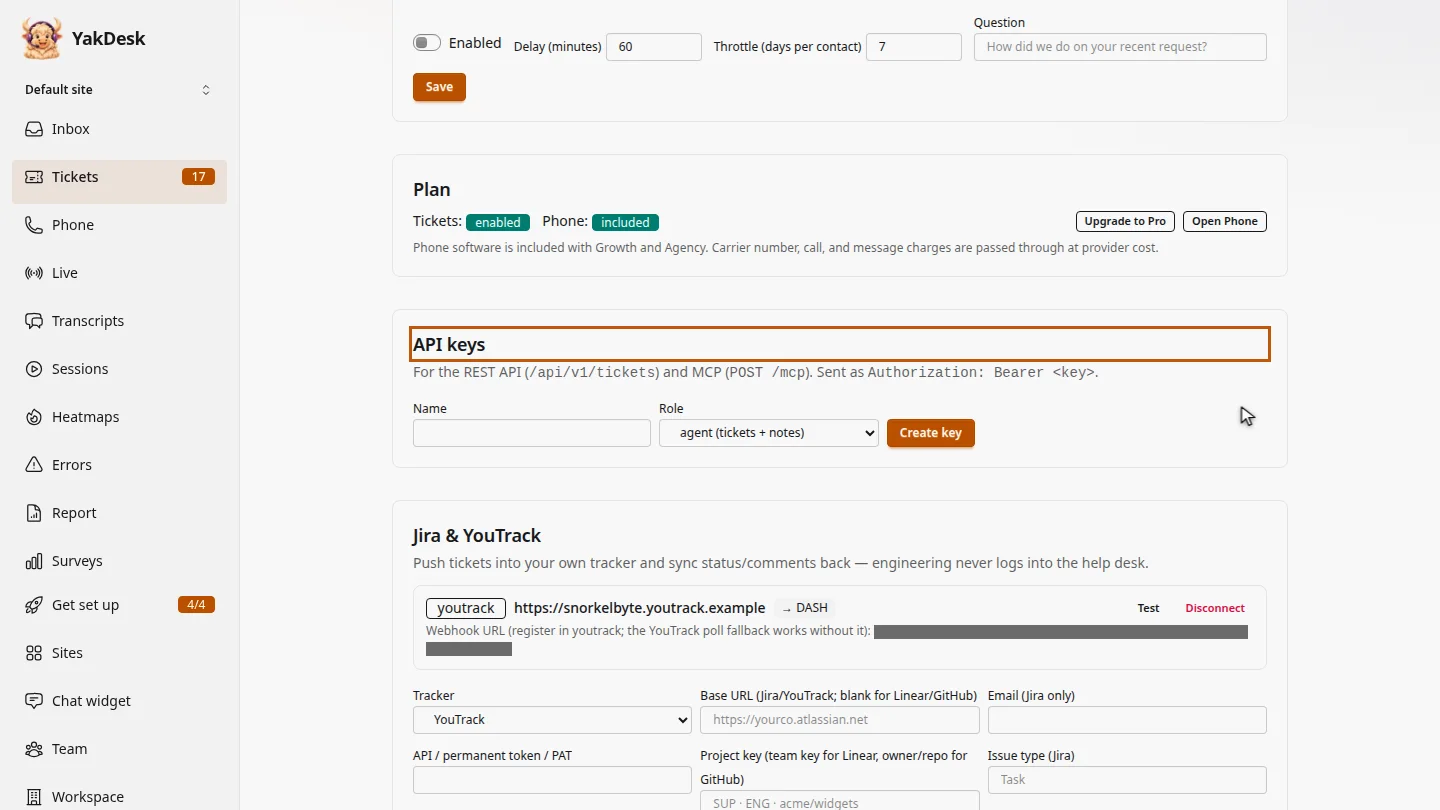
ResultThe key is gone from API keys, and requests that use it fail.
Next steps
Updated 2026-11-09
revoke api key delete api key rotate key leaked token