
How to add another site in YakDesk
If you support more than one website, such as your app, your docs and a status page, give each its own site. Every site gets its own chat widget, session recorder and branding, and you can switch between them from the sidebar.
Before you start
- An Owner or Admin role in YakDesk
- Room on your plan (Starter includes 3 sites, Growth 10, Agency has no hard cap)
Plays silently with captions; the narrated version is on its way.
Transcript
Support another website from the same YakDesk workspace, with its own widget and replays.
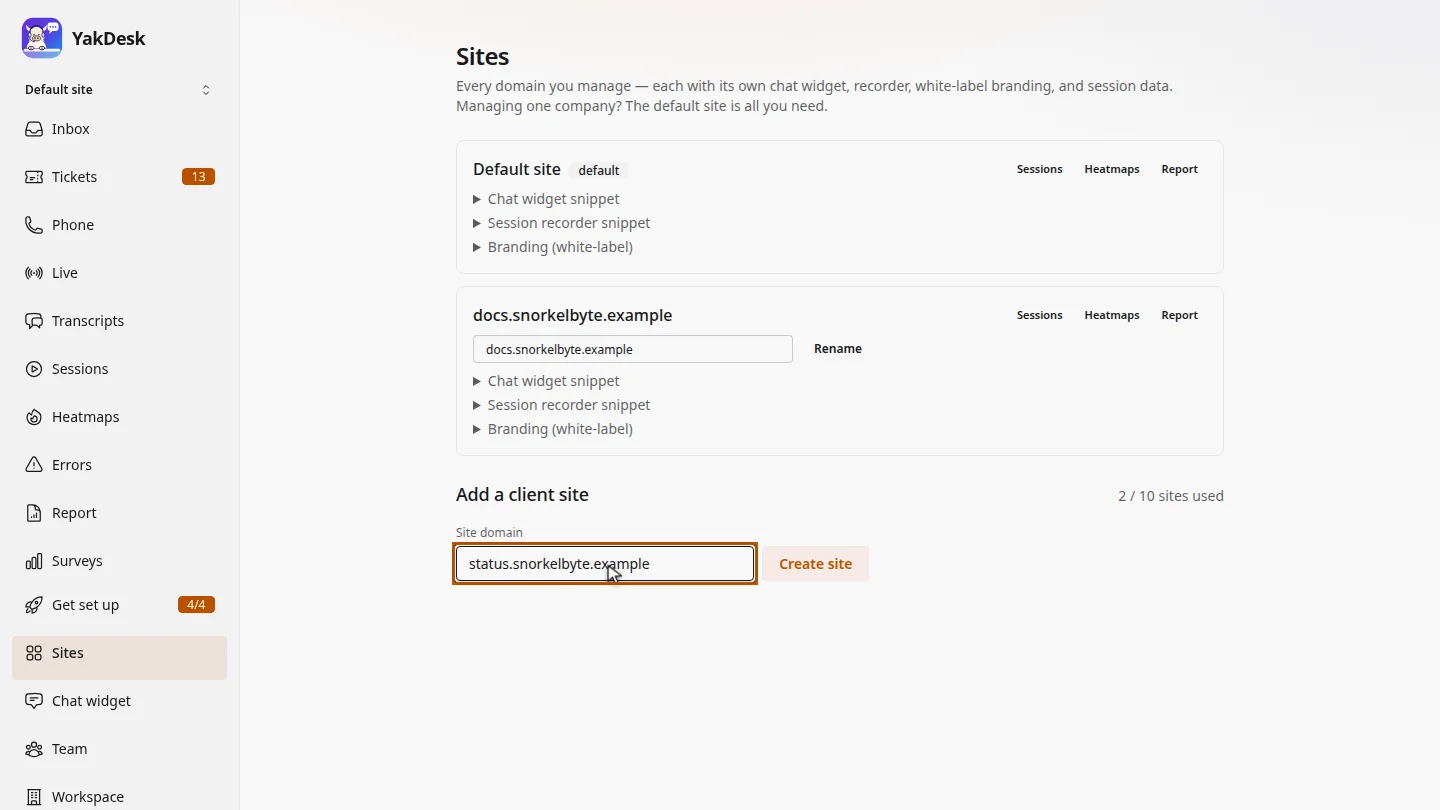
On the Sites page, under Add a client site, enter the new site's domain. The counter shows how many sites your plan includes.
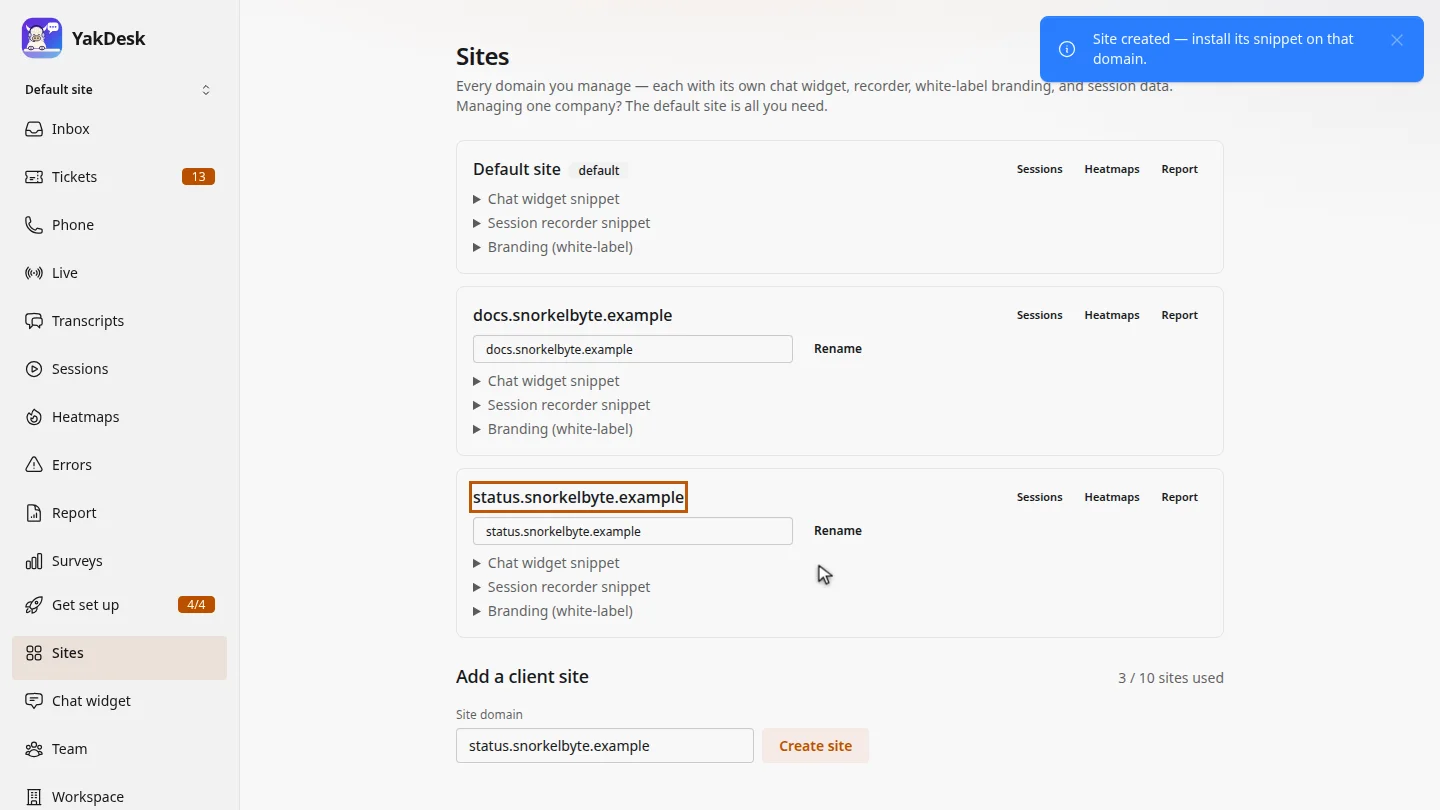
Select Create site. The new site card appears, and the counter goes up by one.
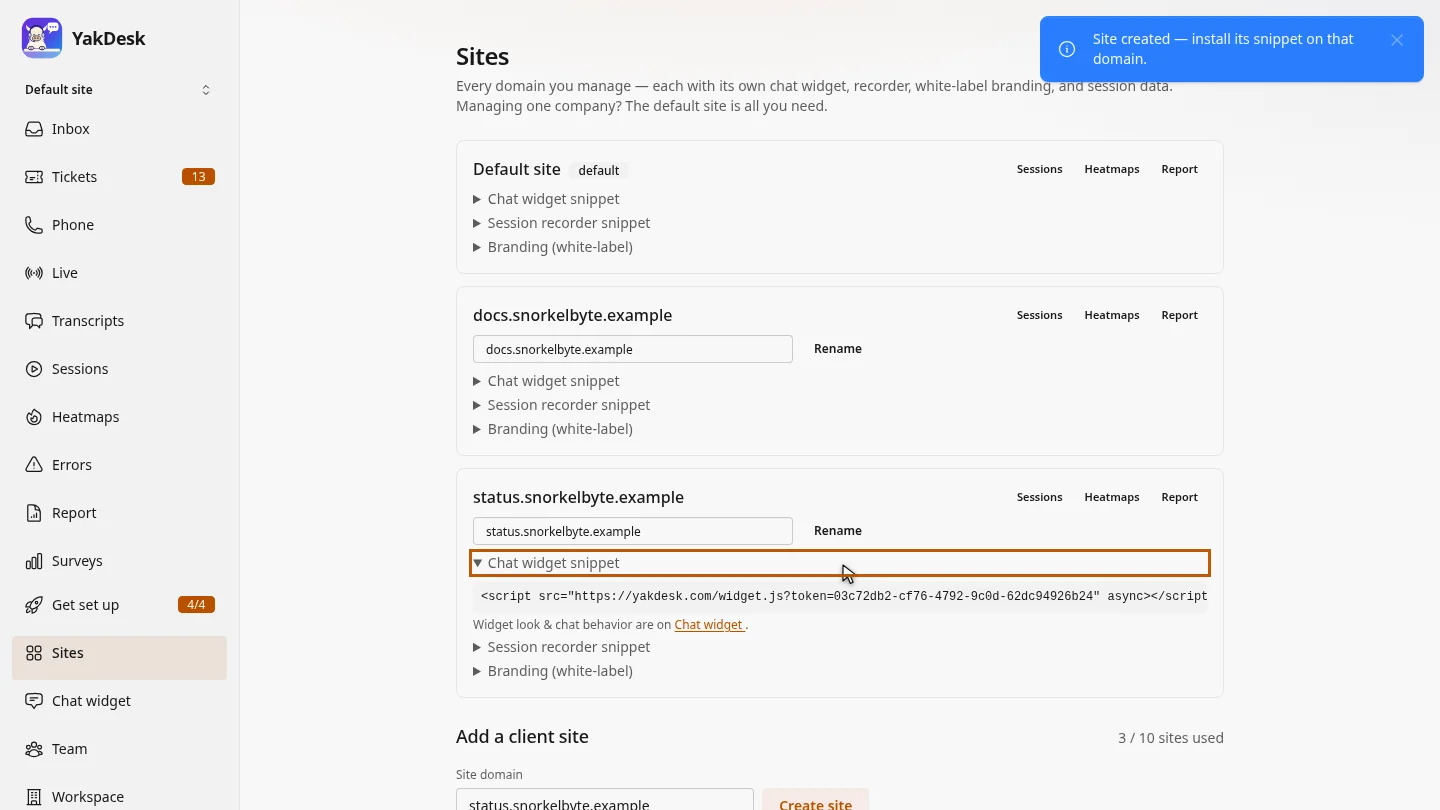
Open Chat widget snippet on the new card. This site has its own token, so install this snippet on that domain, not the one from your main site.
Steps
Enter the domain ▶ 0:07
In the sidebar, select Sites. Under Add a client site, enter the Site domain.
Create the site ▶ 0:17
Select Create site. The new site appears with Sessions, Heatmaps and Report links.
Install its snippet ▶ 0:22
On the new site's card, select Chat widget snippet and install that snippet on the new domain.
Next steps
Updated 2026-10-26
multiple websites multi-site client sites second domain site switcher