
How to add an internal ticket note in YakDesk
Some things your team needs to know about a ticket aren't meant for the customer: what you've tried, what you found, who should look next. An internal note keeps that context on the ticket, where the next agent will see it.
Before you start
- A Growth or Agency plan (tickets are included)
Plays silently with captions; the narrated version is on its way.
Transcript
Leave context for your team on a ticket, without the customer ever seeing it.
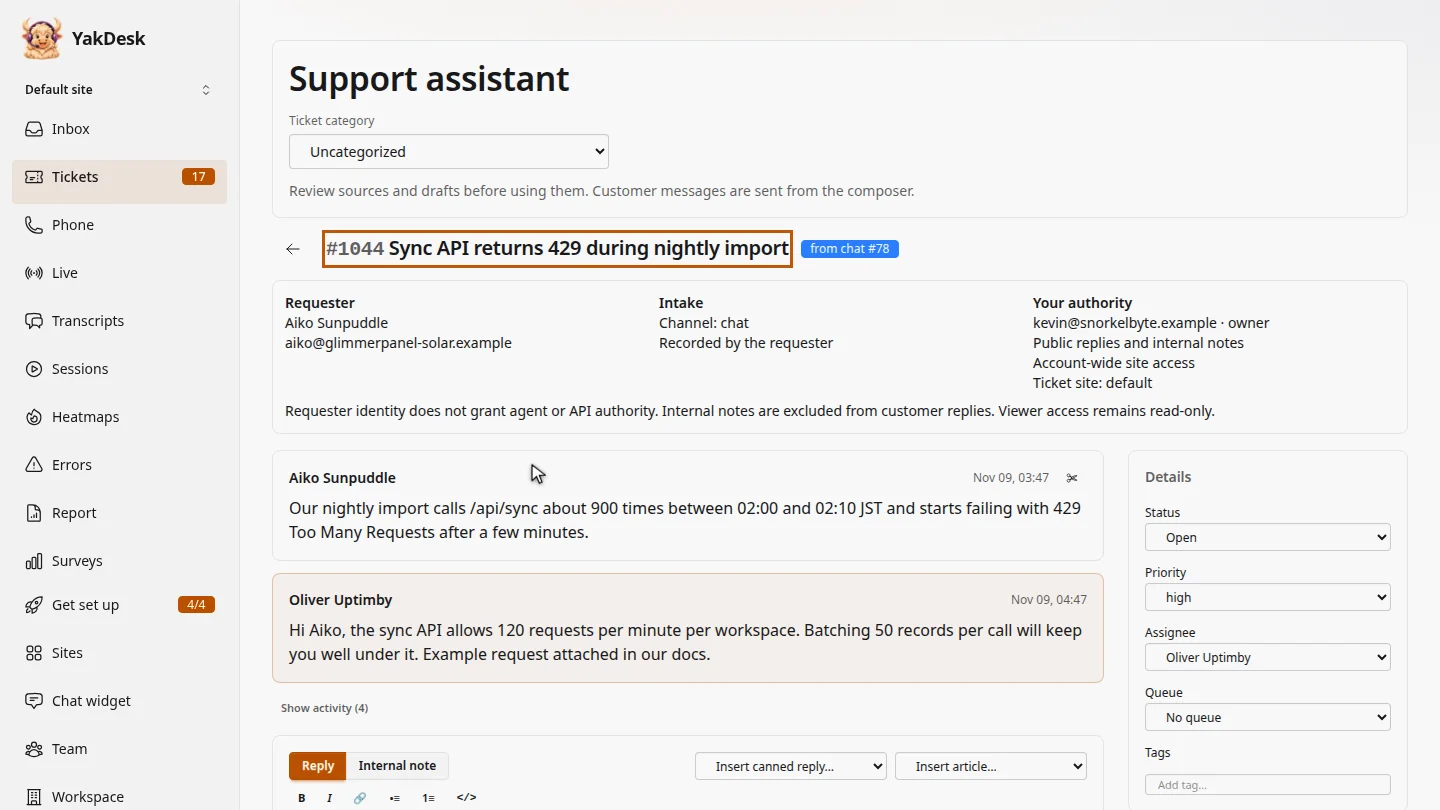
In Tickets, open the ticket. Aiko's nightly import is hitting the sync API's rate limit.
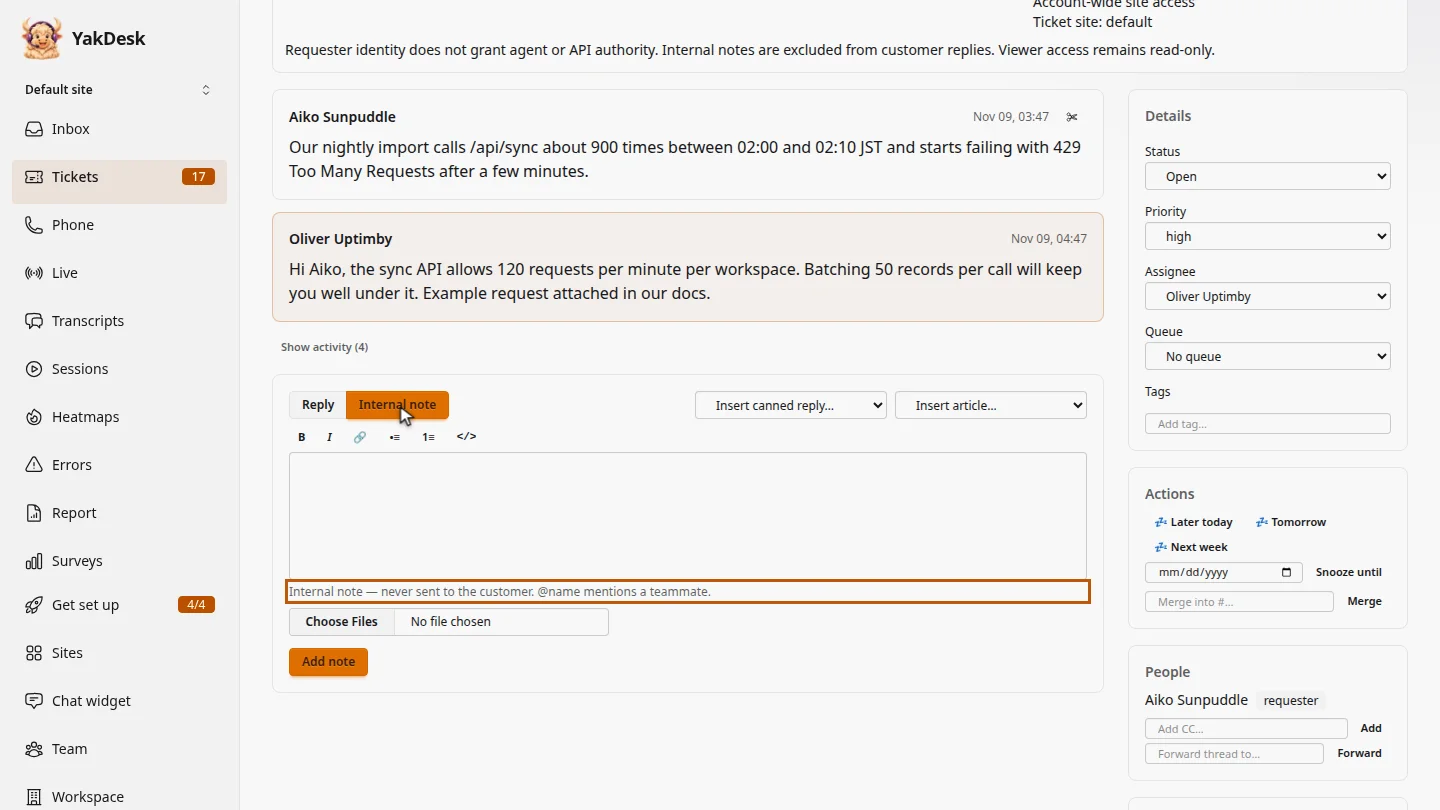
Below the conversation, select Internal note. The hint under the composer confirms that notes are never sent to the customer.
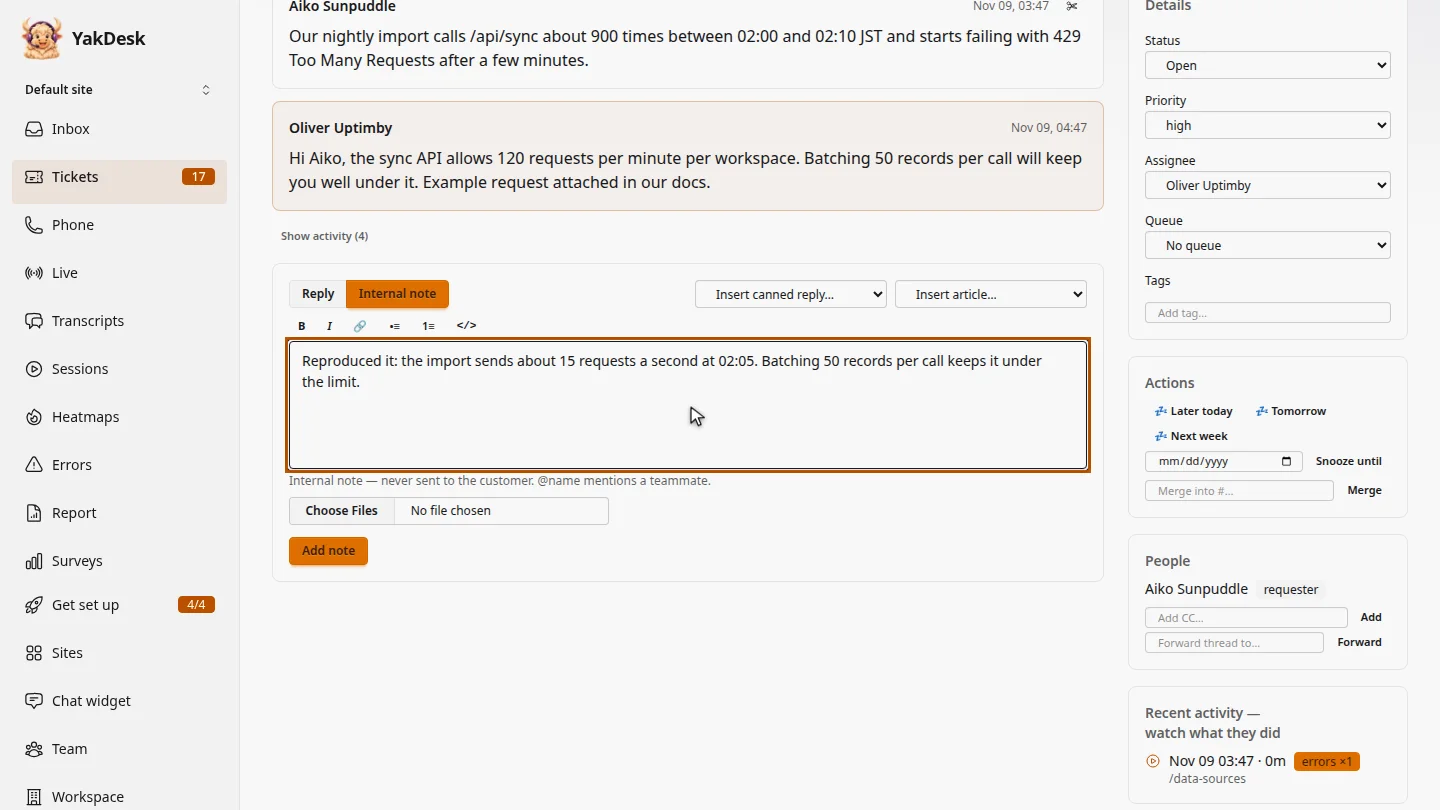
Type what you found, so the next person who picks up this ticket doesn't have to start over.
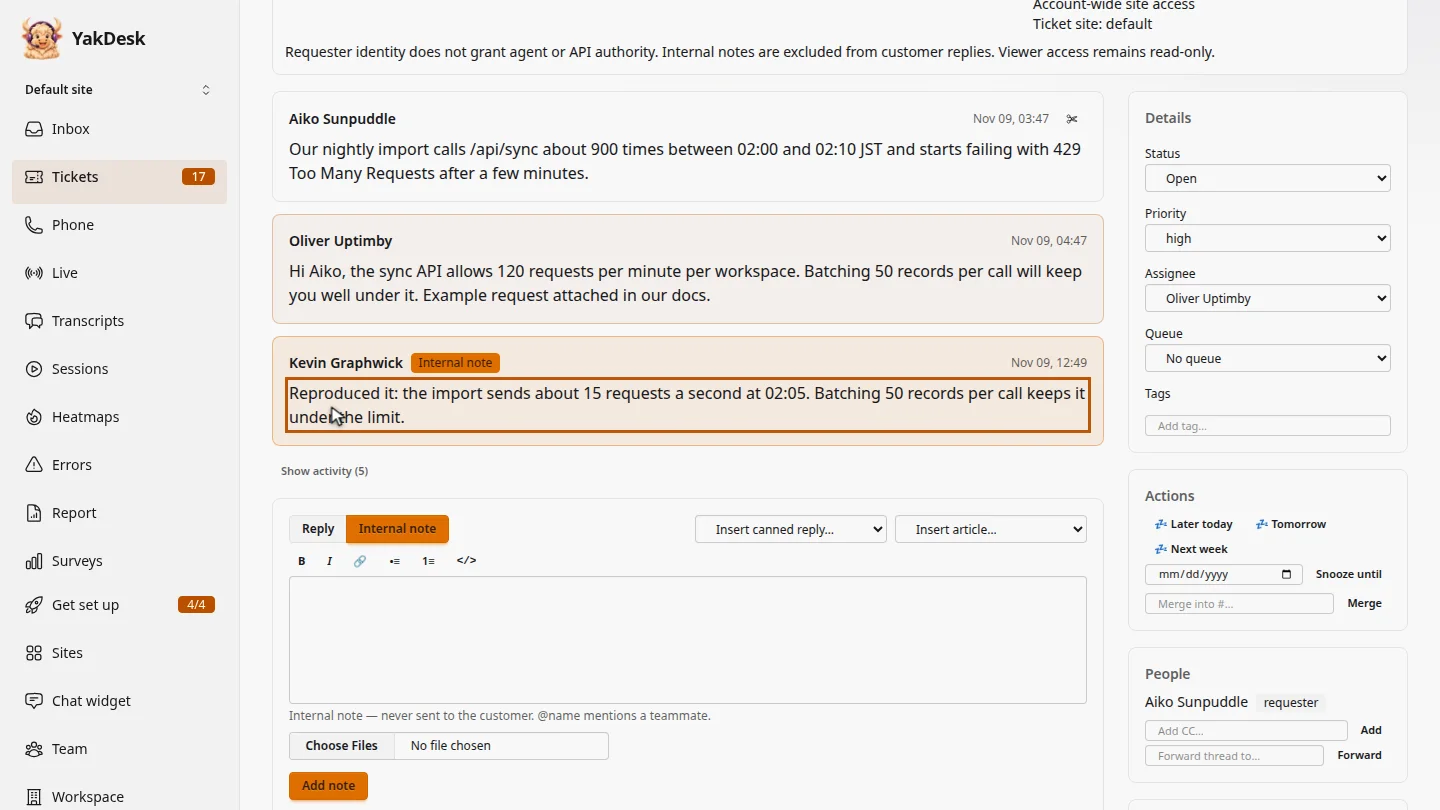
Select Add note. The note joins the thread with an Internal note badge. Aiko never receives it.
Steps
Open the ticket ▶ 0:06
In the sidebar, select Tickets, then select the ticket's subject.
Switch to Internal note ▶ 0:13
In the composer, select Internal note. The hint below it reads Internal note — never sent to the customer.
Write the note ▶ 0:22
Type the note. To notify a teammate, mention them with @ and their name.
Add the note ▶ 0:29
Select Add note. The note appears in the thread with an Internal note badge.
Next steps
Updated 2026-11-09
internal comment private note team note hidden note