
How to delete a saved reply in YakDesk
A saved reply that's out of date is worse than none, because agents send it with confidence. Delete it as soon as the answer changes.
Plays silently with captions; the narrated version is on its way.
Transcript
Remove a saved reply that's no longer right.
In the sidebar, select Chat widget, and scroll to Saved replies. The export limit reply is out of date, so no one should send it any more.
Select Delete next to it, and confirm. It's removed from this list, and from the saved replies in every agent's composer.
Steps
Find the reply ▶ 0:04
In the sidebar, select Chat widget, then go to Saved replies and find the reply.
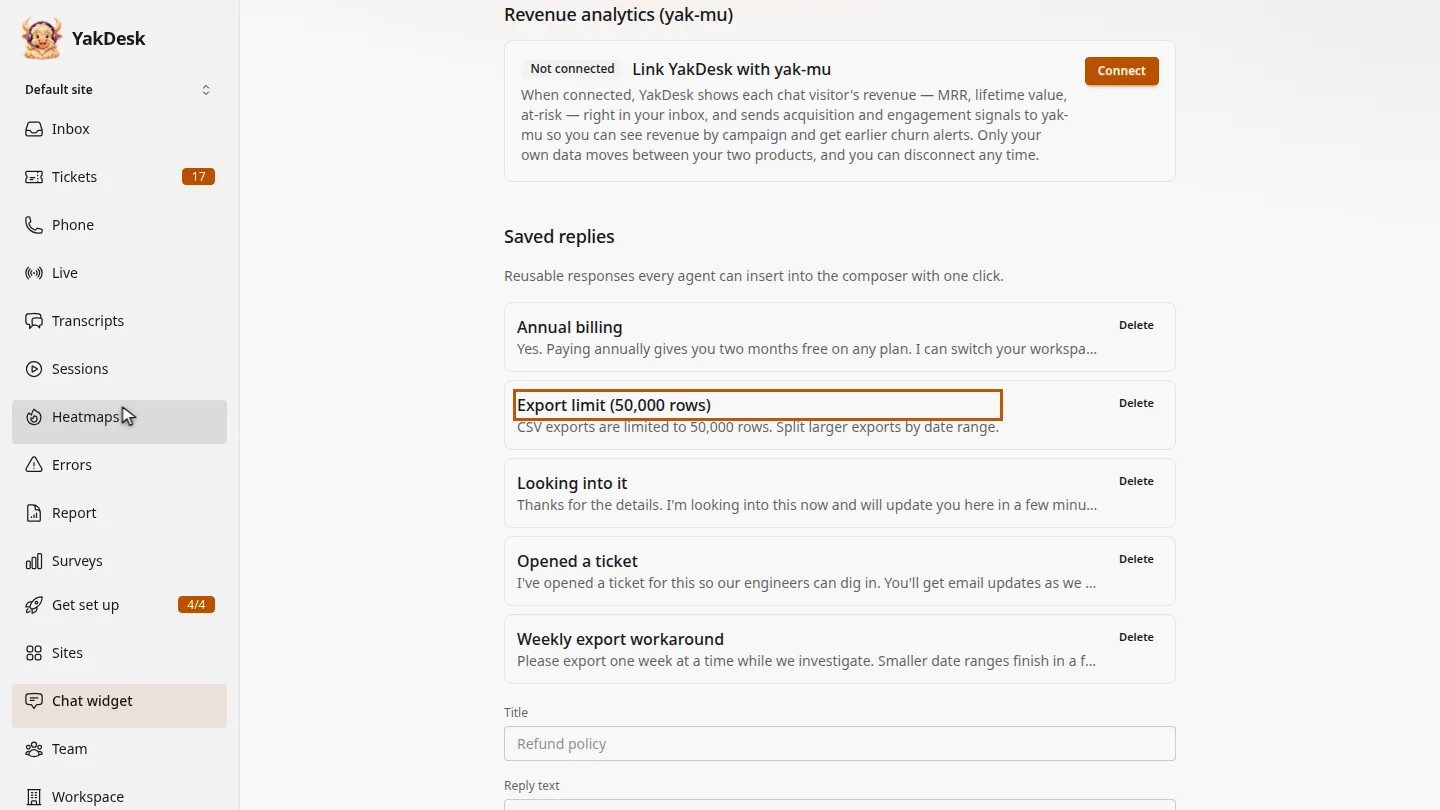
Delete it ▶ 0:14
Select Delete next to the reply, then confirm. The reply is removed from the list.
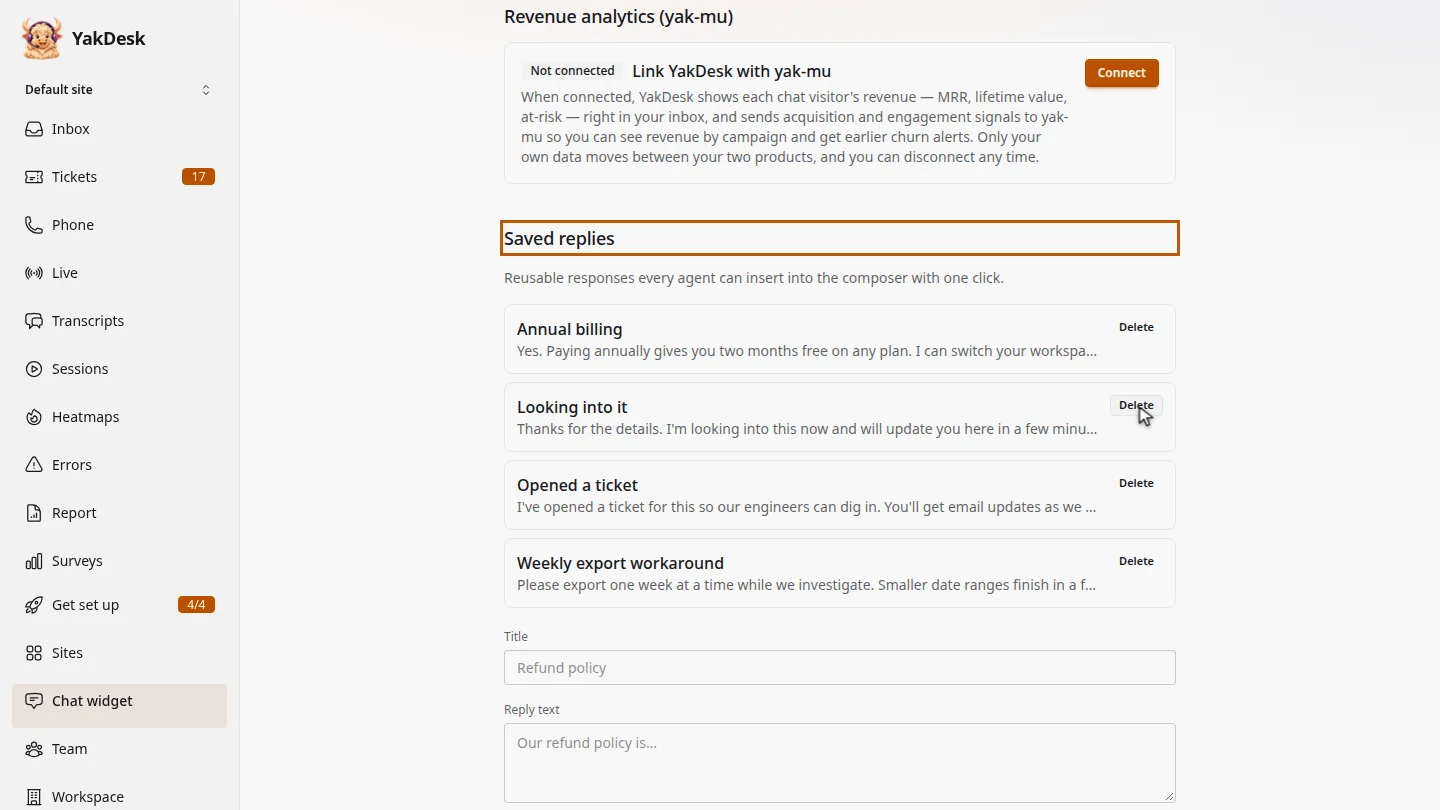
ResultThe saved reply is gone from the list and from every agent's composer.
Next steps
Updated 2026-11-09
remove canned response delete macro outdated reply