
How to merge duplicate tickets in YakDesk
When a customer writes in twice about the same problem, two agents can end up answering it. Merging moves the duplicate's messages onto the ticket you keep, so there's one thread and one answer.
Before you start
- A Growth or Agency plan (tickets are included)
Plays silently with captions; the narrated version is on its way.
Transcript
Combine two tickets about the same problem into one thread.
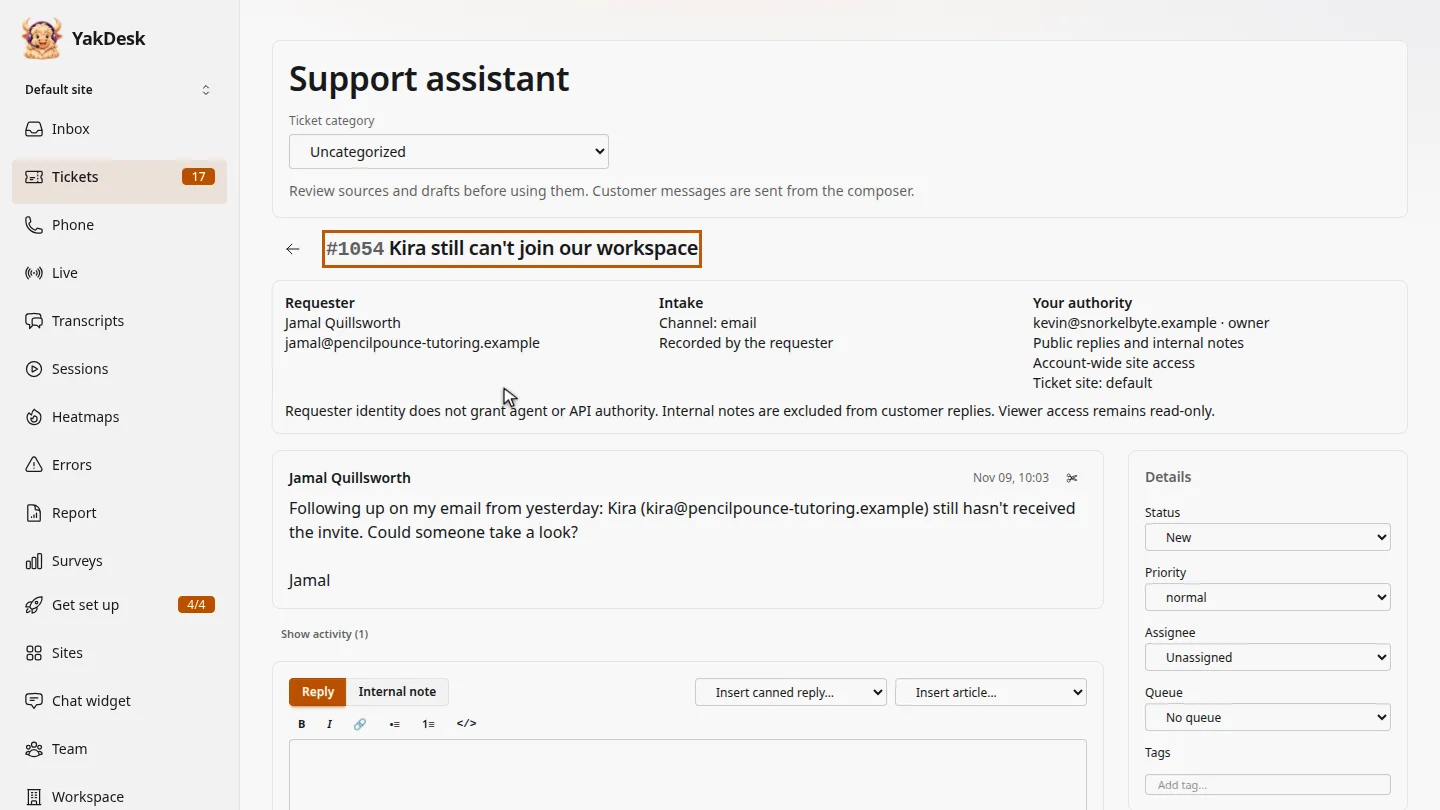
In Tickets, open the duplicate. Jamal wrote again about the same missing invite, which ticket 1046 already covers.
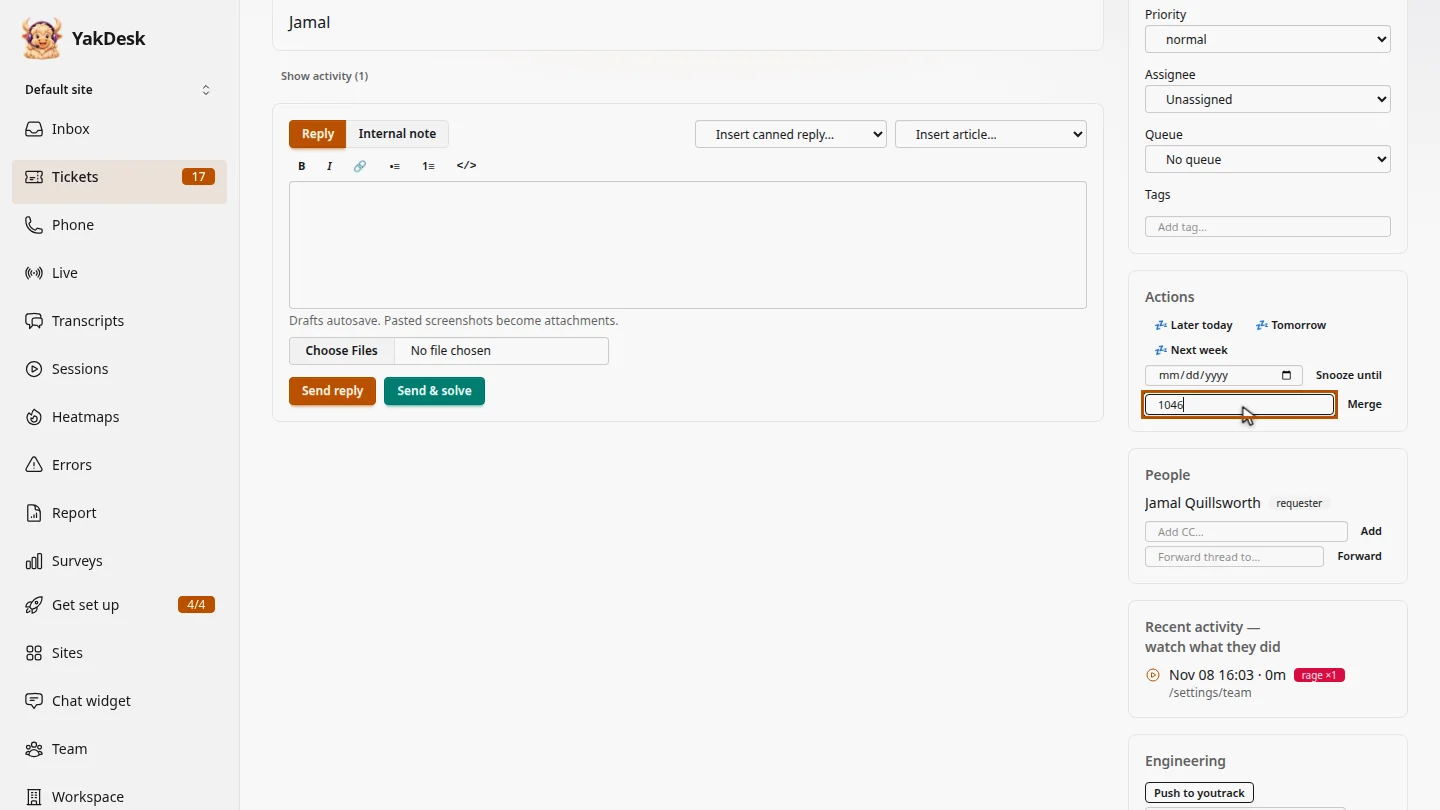
Under Actions, in Merge into, type the number of the ticket you're keeping. Keep the older one, so the history stays in one place.
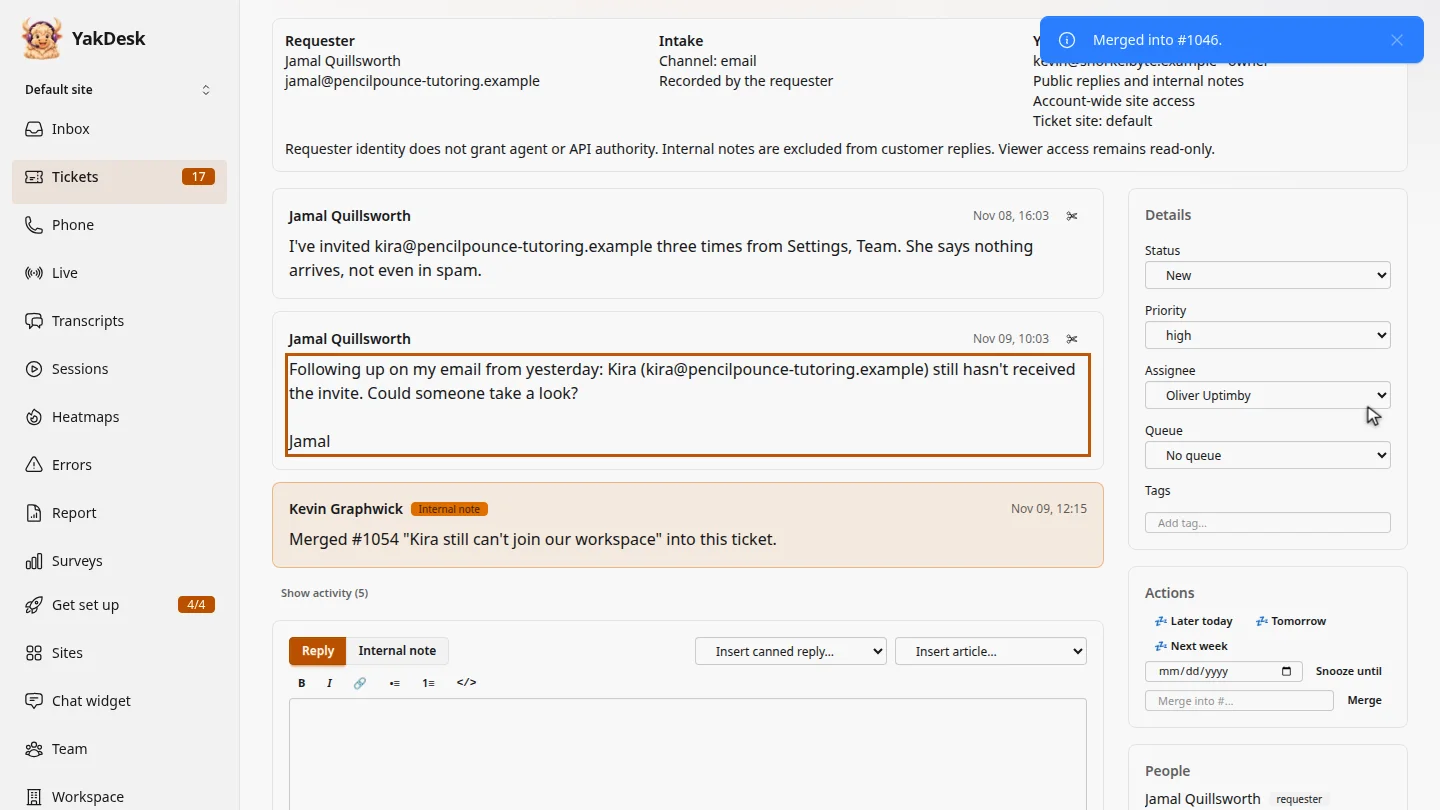
Select Merge and confirm. Ticket 1046 opens. Jamal's follow-up is now part of its thread, with an internal note recording the merge, and the duplicate closes.
Steps
Open the duplicate ▶ 0:05
In the sidebar, select Tickets, then select the duplicate ticket's subject.
Enter the ticket to keep ▶ 0:14
Under Actions, in Merge into #…, type the number of the ticket you're keeping.
Merge ▶ 0:23
Select Merge, then confirm. The ticket you kept opens, with the duplicate's messages in its thread.
Next steps
Updated 2026-11-09
merge tickets duplicate ticket combine tickets