
How to snooze a ticket in YakDesk
Sometimes you can't move a ticket forward until later: a credit note is due tomorrow, or a fix ships next week. Snoozing hides it until then, so your open list only shows work you can do now.
Before you start
- A Growth or Agency plan (tickets are included)
Plays silently with captions; the narrated version is on its way.
Transcript
Put a ticket aside until you can act on it, and have it come back on its own.
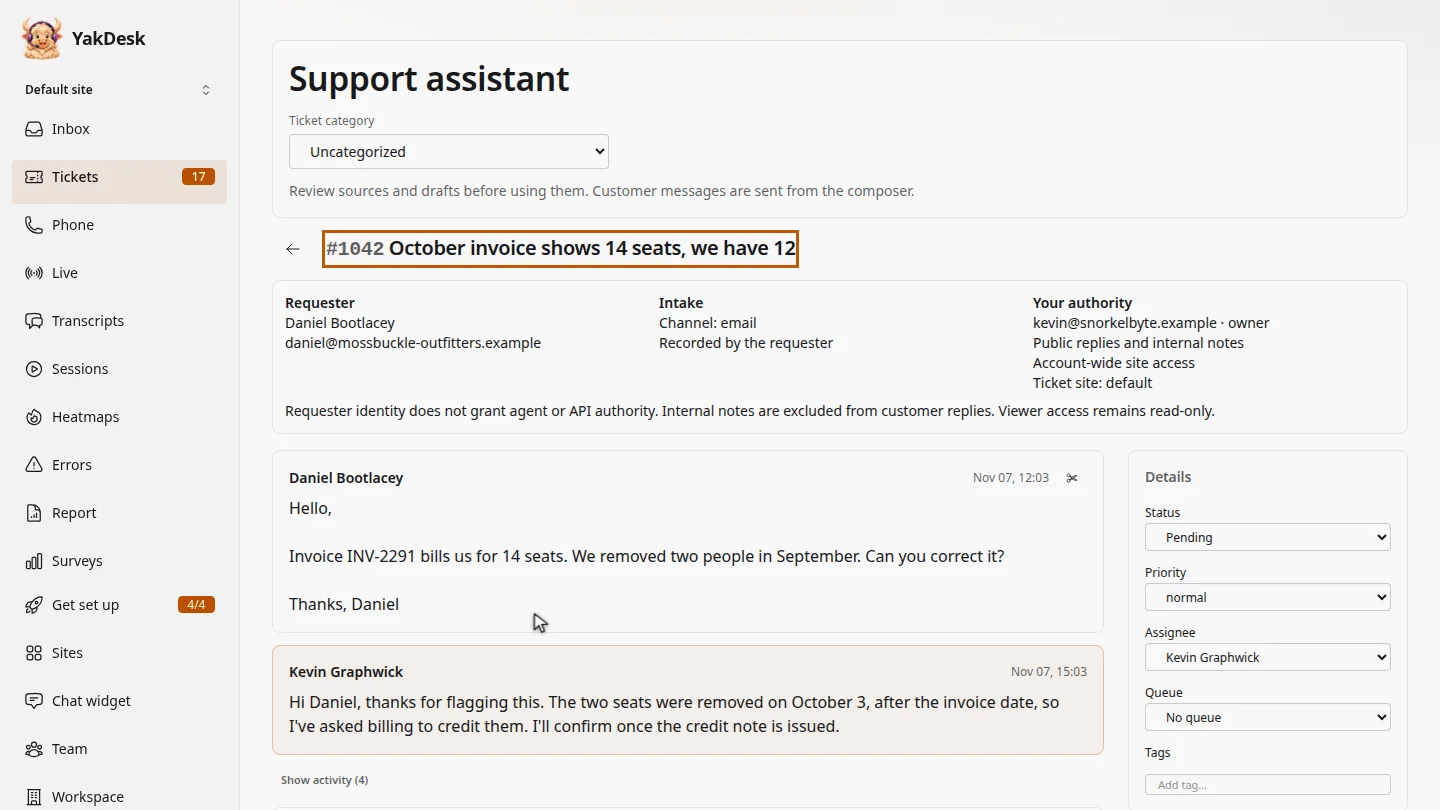
In Tickets, open the ticket you're waiting on. Daniel's credit note won't be issued until tomorrow.
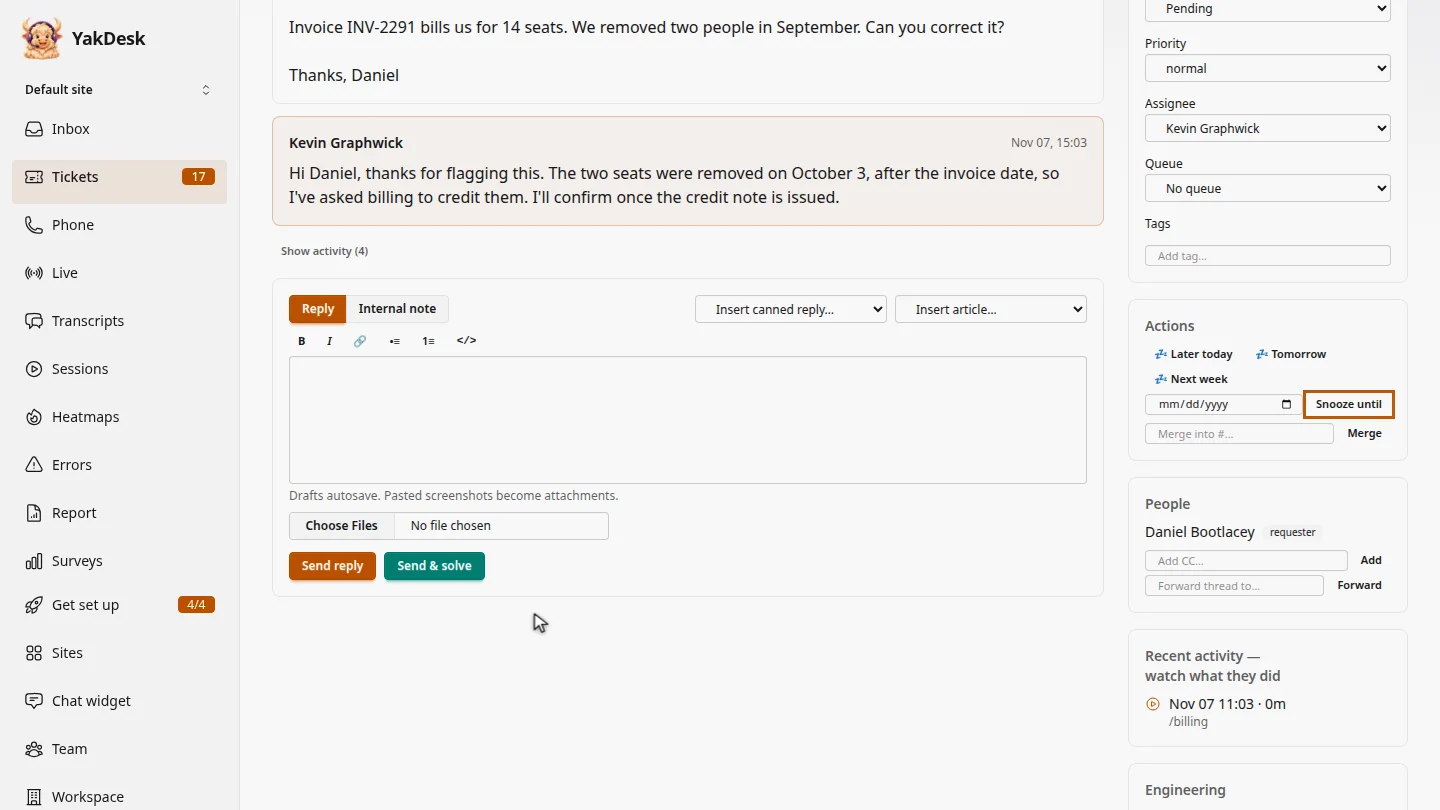
Under Actions, select Tomorrow. To pick another day, choose a date and select Snooze until.
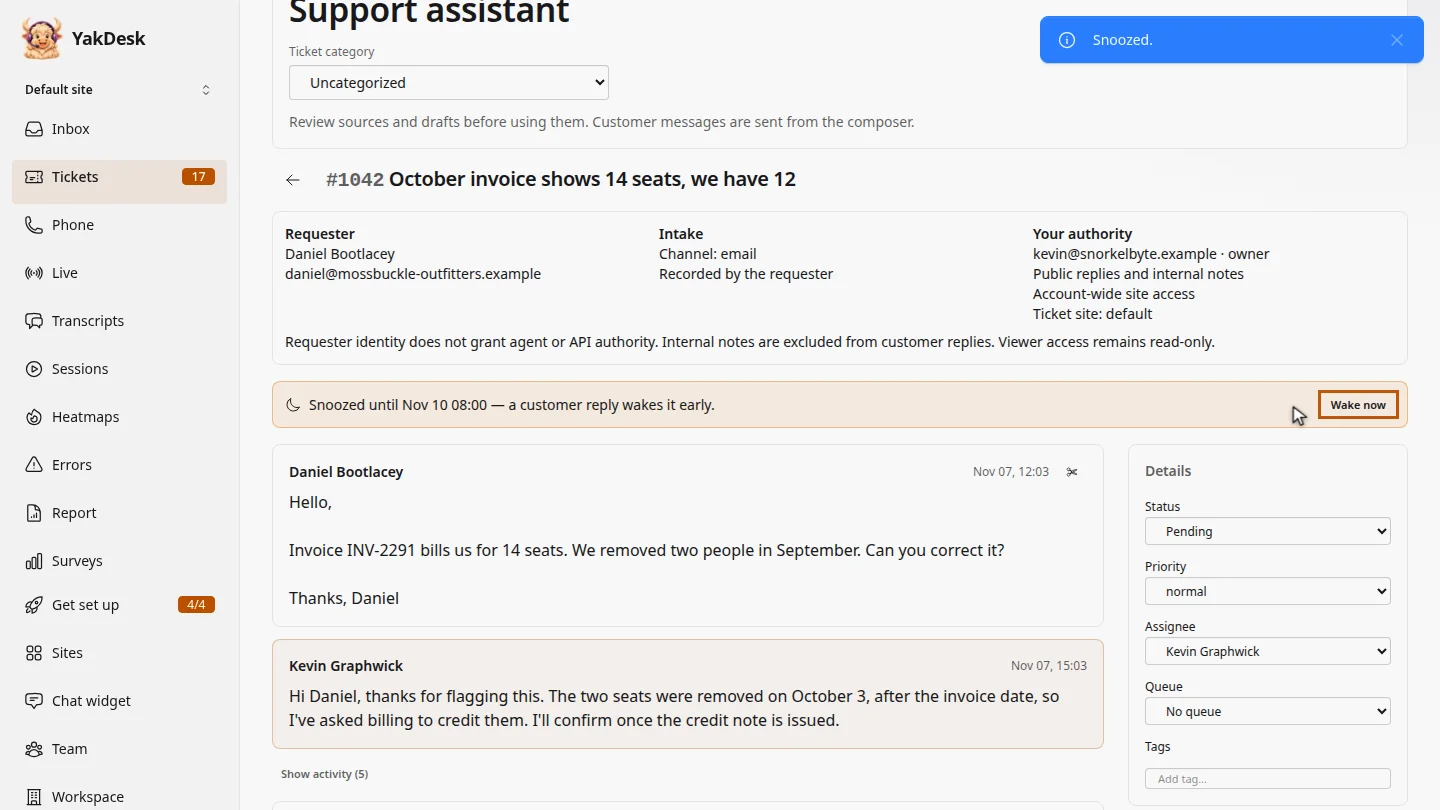
A banner shows when the ticket wakes up. If Daniel replies first, it wakes early. To bring it back now, select Wake now.
Steps
Open the ticket ▶ 0:06
In the sidebar, select Tickets, then select the ticket's subject.
Choose when it comes back ▶ 0:14
Under Actions, select Tomorrow. To choose another day, pick a date and select Snooze until.
Check the snooze ▶ 0:21
A banner shows Snoozed until and the time. To bring the ticket back early, select Wake now.
Next steps
Updated 2026-11-09
snooze remind me later follow up later hide ticket