
How to split a message into a ticket in YakDesk
Customers often add an unrelated question to an existing thread. Splitting that message into its own ticket lets each problem have its own owner and status, so neither gets lost.
Before you start
- A Growth or Agency plan (tickets are included)
Plays silently with captions; the narrated version is on its way.
Transcript
Move an unrelated message out of a thread and into its own ticket.
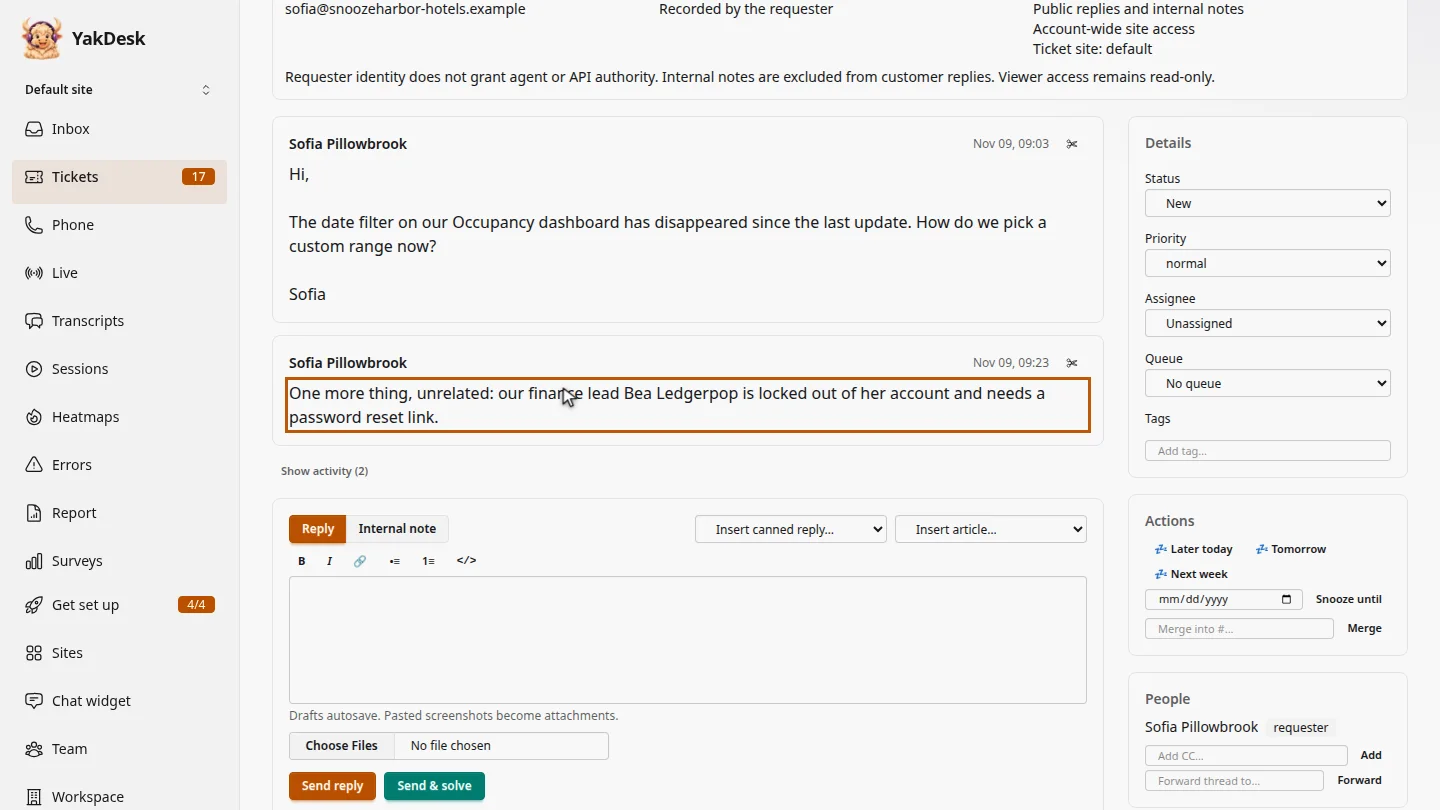
In Tickets, open the ticket. Sofia asks about a date filter, then adds a separate request: a password reset for a colleague.
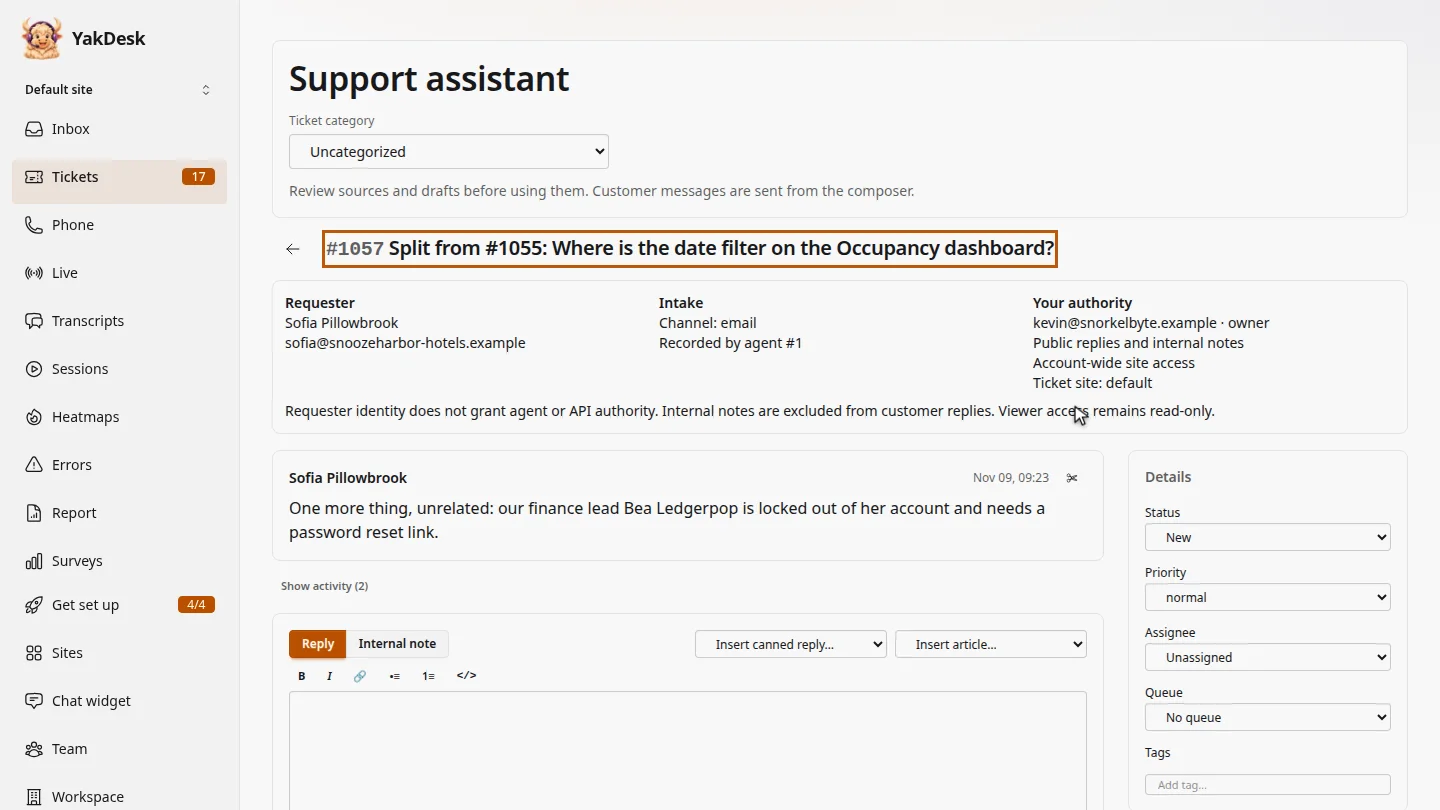
On that message, select the scissors button, Move this message to a new ticket, and confirm. A new ticket opens with just that message.
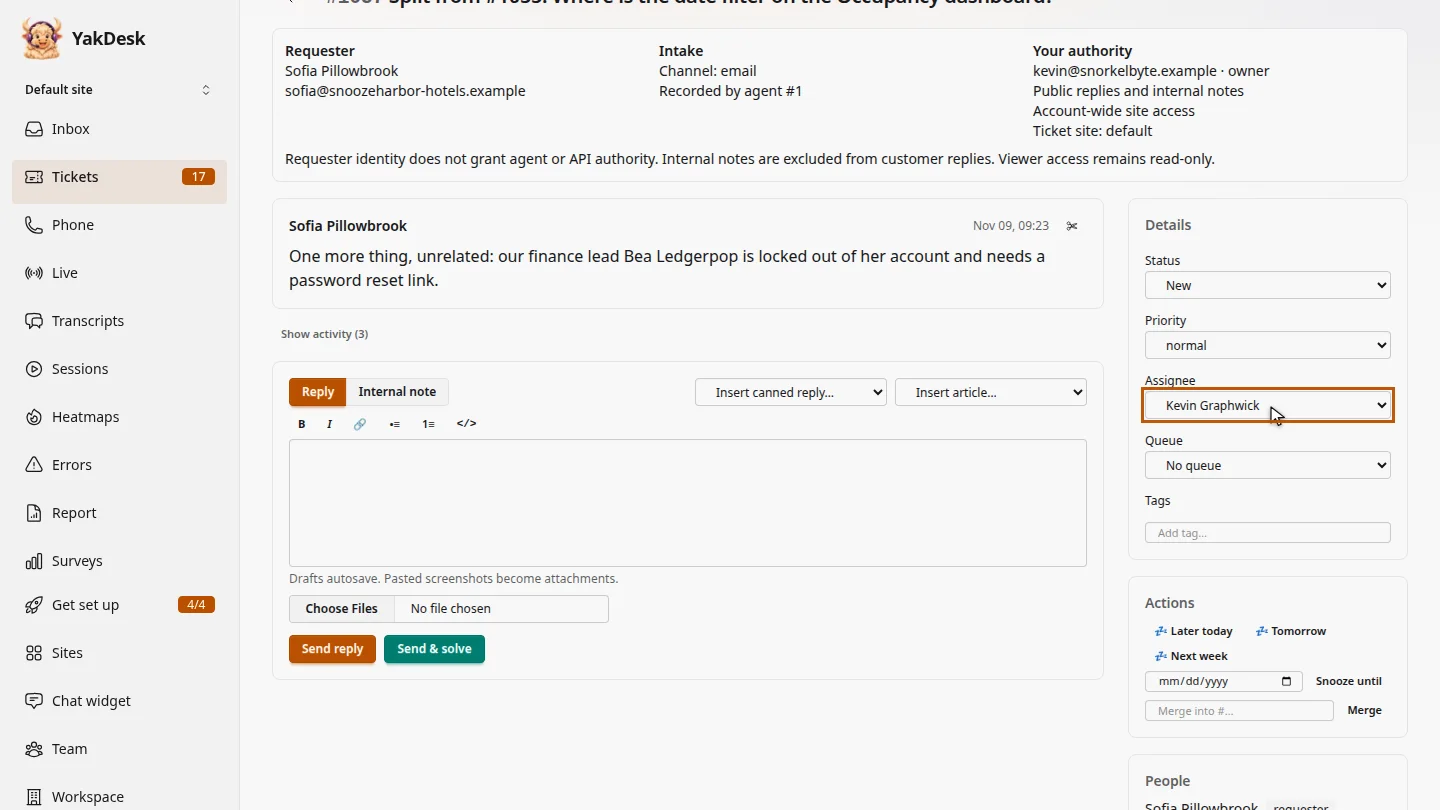
Under Details, assign the new ticket, so the reset doesn't wait behind the filter question.
Steps
Find the message ▶ 0:06
In the sidebar, select Tickets, open the ticket, and find the message that belongs elsewhere.
Split the message ▶ 0:15
On the message, select the scissors button (Move this message to a new ticket), then confirm. A new ticket opens with that message.
Assign the new ticket ▶ 0:25
Under Details, choose an Assignee for the new ticket.
Next steps
Updated 2026-11-09
split ticket separate issue move message new ticket from message