
How to unpublish a help center article in YakDesk
If an article is wrong or describes something you've changed, take it out of your help center without losing it. Unpublishing turns it back into a draft that you can fix and publish again.
Plays silently with captions; the narrated version is on its way.
Transcript
Take an article out of your help center, without deleting it.
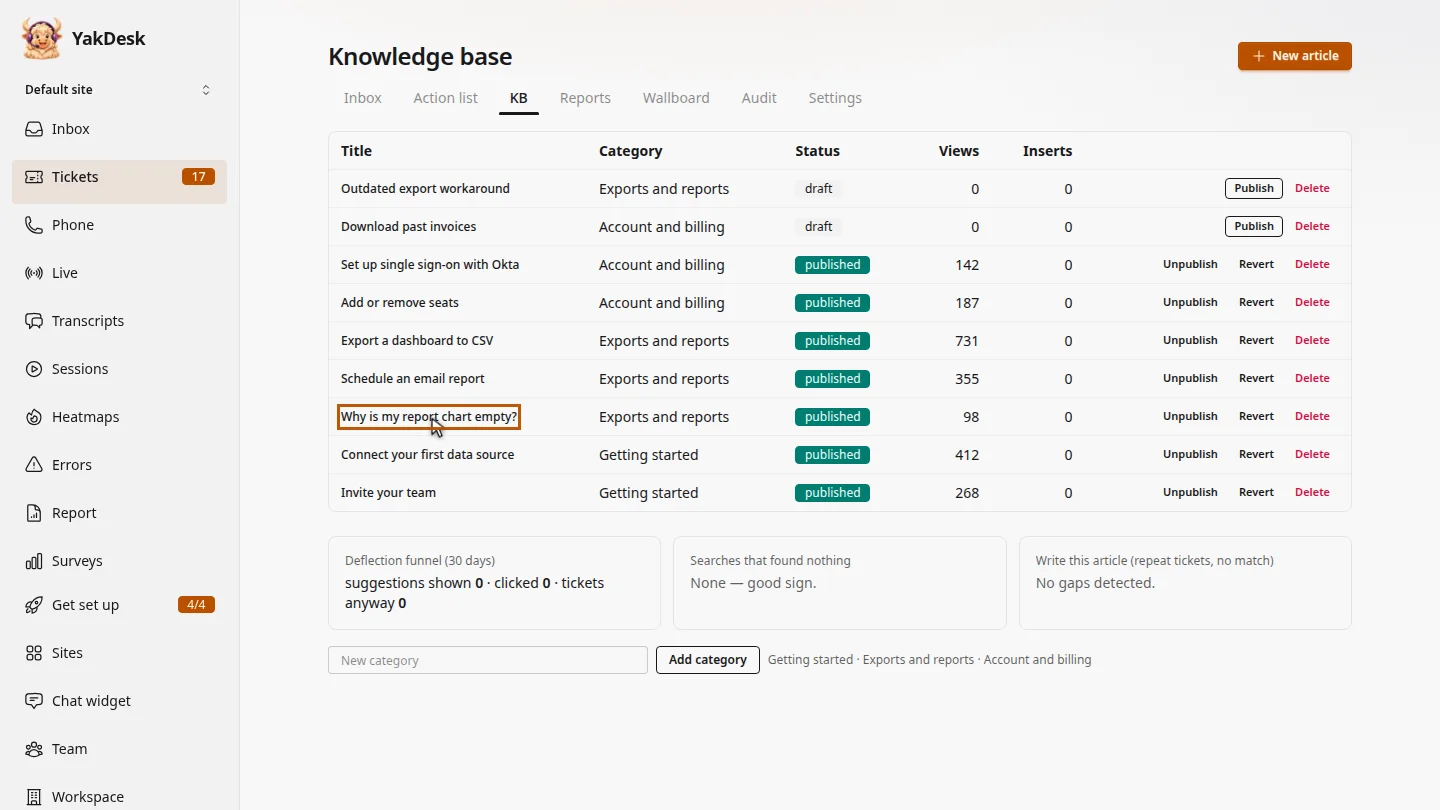
In Tickets, open the KB tab and find the published article. Here, it's an answer about empty report charts that needs rewriting.
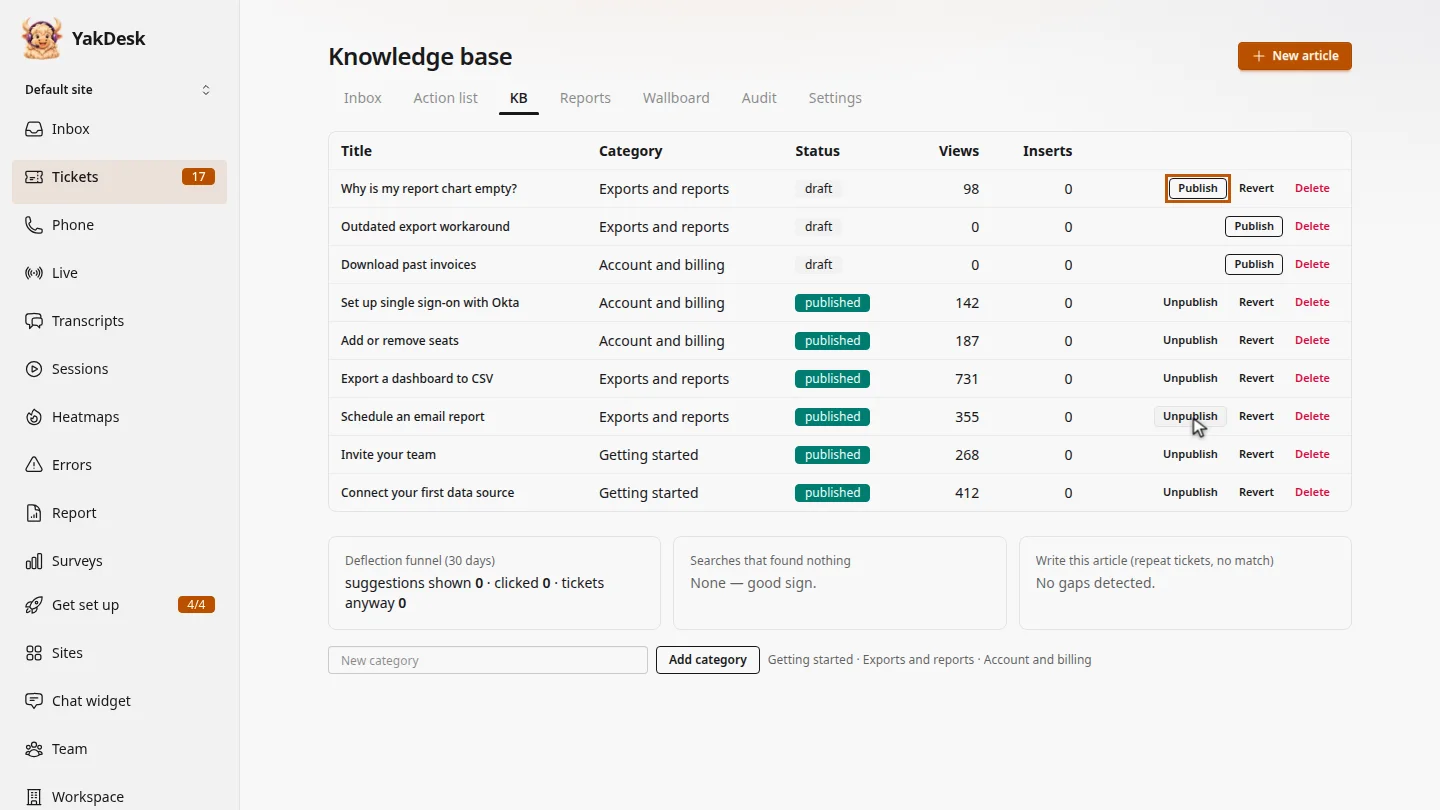
Select Unpublish on its row. It's now a draft, so customers no longer see it in your help center. When it's ready again, select Publish.
Steps
Find the article ▶ 0:05
In Tickets, select KB. Find the article; its status is published.
Unpublish it ▶ 0:15
Select Unpublish on the article's row. Its status changes to draft. Select Publish to put it back.
Next steps
Updated 2026-11-09
hide article unpublish kb remove from help center draft article